Best Chrome Bookmark Extension 2026: 7 Tested, 1 Surprise Winner
By Fisher · @hawking520 · I built the Burn 451 Web Clipper after my own Chrome bookmark folder broke me
May 11, 2026 · updated June 29, 2026 · 9 min read
I save 200+ links a week from Chrome. I read maybe 40. The Chrome bookmark folder is where the other 160 die. After Mozilla killed Pocket in July 2025, I tested every Chrome bookmark extension I could find that still ships in 2026. This is the honest verdict on the 7 that actually still work — ranked not by features, but by which one made me actually read what I saved.
Quick verdict
If you only read 30 seconds of this:
- Save-and-actually-read → Burn 451 Web Clipper (free tier, 24h auto-delete, AI summaries on Pro, MCP for Claude/Cursor) — install from Chrome Web Store.
- Quiet visual archive of references → Raindrop visual archive (free unlimited, every browser, mobile parity, AI on Pro).
- Highlight everything + spaced repetition → Readwise Reader's highlight workflow ($9.99/mo annual, $12.99 monthly).
- Privacy-paranoid / data-ownership → self-host Karakeep or Linkding; they don't ship first-party Chrome extensions, so you trade extension UX for control.
What people in 2026 are actually doing about the Chrome-bookmark problem
One quote that captures how common this failure mode has become — an indie developer who couldn't find a Chrome extension that fit the "save articles, actually read them" pattern, so he just built his own.
"Just vibe coded this chrome extension for myself — Bookmark articles to read later — New Tab -> Loads the feed of all bookmarks..."
— @ayushtweetshere, 2025-06-01
This is a data point worth weighing before you install another Chrome bookmark extension. The Chrome Web Store has many bookmark extensions across folders, read-later, AI tagging and self-hosted shapes; even with that selection, some people still don't find one that fits, so they vibe-code one in a weekend. Burn 451's Web Clipper exists because I was in the same position before deciding to build properly — and the rest of this page is the honest comparison of what was already shipping in 2026 when I made that call.
Why is the native Chrome bookmark manager not enough?
Native Chrome bookmarks were built for 2008. Folder, subfolders, drag-and-drop. They work fine if you save 20 links and read them in a week. They fail once you cross 500 saves, because there's no surfacing layer. The pattern most read-later researchers report is the same: the vast majority of saved articles are never reopened — the bookmark folder is a graveyard regardless of how you organize it. A dedicated Chrome bookmark extension changes the equation by adding three things native bookmarks cannot: full-text search inside saves, automatic surfacing of what you saved, and metadata extraction so you can actually find anything later.
What is the best read later Chrome extension in 2026?
For a read later Chrome extension — meaning you save articles intending to read them, not just to reference them — there are three serious options on Chrome in 2026: Burn 451 Web Clipper (free, 24-hour auto-delete, AI summaries, install from Chrome Web Store), Instapaper (free + Premium $5.99/mo or $59.99/yr; classic read-later; no LLM-over-content — no summaries / chat / library Q&A / MCP / LLM tagging — though Premium does ship AI voices + TTS playlists on mobile), and Readwise Reader ($9.99/mo annual ($12.99 monthly), highlights + spaced repetition). Karakeep is technically a read-later tool but requires self-hosting. Raindrop is more of a reference manager than a read-later. Pocket's Chrome extension was the long-standing default until Mozilla shut Pocket down in July 2025; if you're looking for the Pocket-style behavior, see our Pocket alternative 2026 guide. For the full read-later cross-app comparison see best read later app 2026; for the read-later definition and the post-Pocket era timeline, see the Post-Pocket era. For a browser-agnostic capture walkthrough, see how to save articles to read later across devices.
How does "I save 200 links a week, read 40" get fixed by an extension?
It doesn't, unless the extension changes your incentives. Most Chrome bookmark extensions just store more — Raindrop, Pinboard, native bookmarks all let you accumulate forever. The accumulation IS the problem. Burn 451 Web Clipper is the one in my own test set that flips the incentive: saves auto-delete in 24 hours unless you finish reading, tag for keep, or move to permanent vault. The first week is uncomfortable. By week three the queue stabilizes at 20–30 items you actually intend to read. The bookmark folder stops being a graveyard. See the longer essay at i save articles but never read them.
The browser cleanup stack I would actually use
A bookmark extension alone will not fix tab hoarding, feed addiction, and saved-link guilt at the same time. If your browser is the problem, split the cleanup into jobs instead of looking for one magic extension. If feeds are the source of the overload, compare what it takes to switch from Feedly before adding another capture tool.
- Use OneTab when the immediate problem is 40 open tabs and a browser that feels frozen.
- Use Tab Wrangler when old tabs should disappear automatically after you ignore them.
- Use LeechBlock when the problem is not saving, but returning to distracting sites by reflex.
- Use News Feed Eradicator if social feeds keep becoming the default tab you fall into.
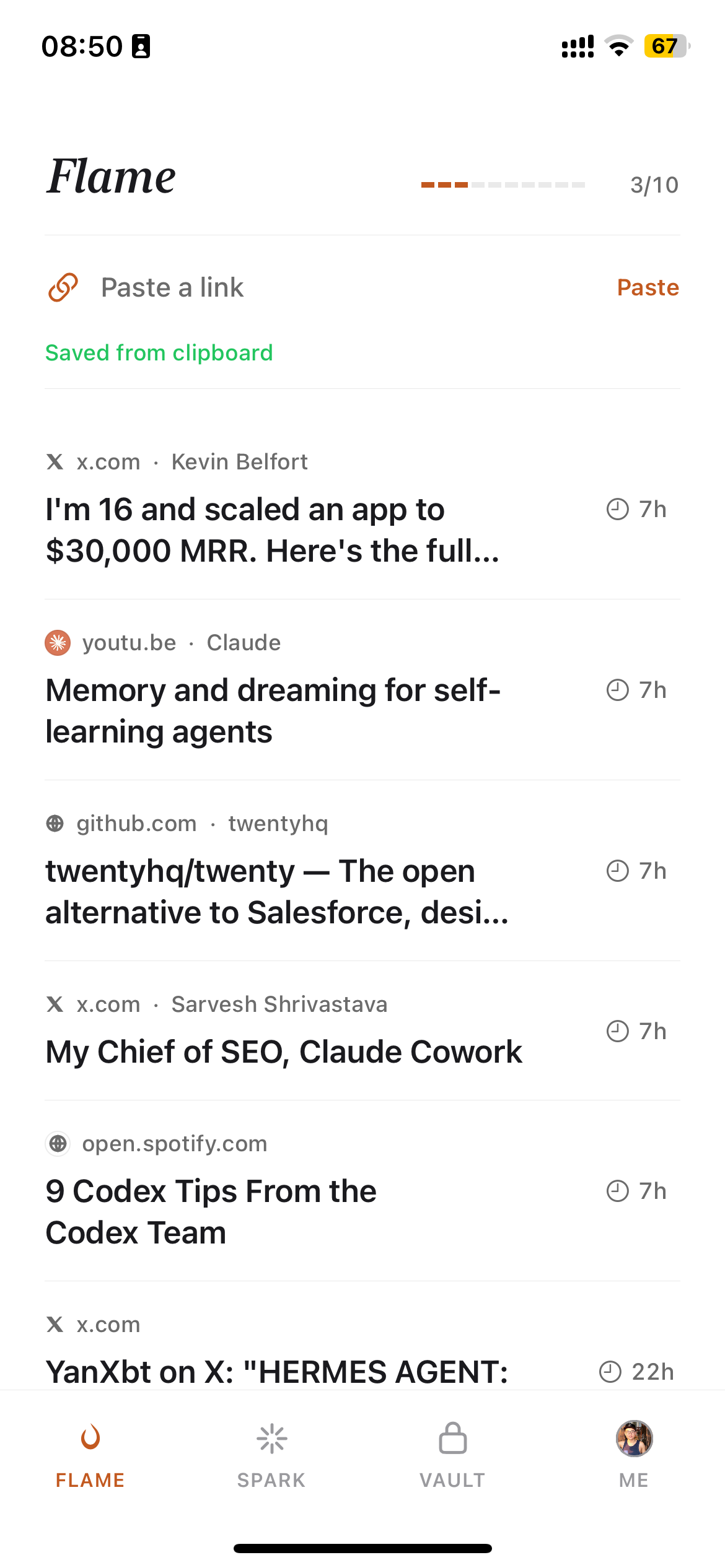
- Use Burn 451 Web Clipper only for the pages you still mean to read. It gives each save a 24-hour deadline, so cleanup does not quietly turn into another permanent archive.
- Use Bookmarks Lifecycle for the pile that is already there. It is an open-source local tool that reads your existing Chrome bookmarks and hands you a few a day to decide on, rather than asking you to clear three thousand in one sitting. Worth knowing if you are signed into Chrome: account-synced bookmarks live in a separate
AccountBookmarksfile that most bookmark utilities never open, which is why some of them report that you have none.
That stack has a clean division of labor: collapse the tab pile, close forgotten tabs, block reflex browsing, remove feeds, then save only the few pages that deserve a real reading window.
What about AI bookmark Chrome extensions?
AI features in Chrome bookmark extensions in 2026 split into three useful categories: AI summaries, AI tagging, and full-text search. Burn 451 provides those features on Pro at $4.99/month. Readwise Reader has summaries and highlights at $9.99/mo annual ($12.99 monthly). Matter has AI summaries on iPhone/iPad/web (free + Matter Premium, still receiving version updates per the App Store), but no Chrome extension — so it doesn't fit this list directly. See best AI bookmark manager 2026 for the broader landscape.
Is there a free Chrome bookmark extension worth using?
Three useful free-tier paths are Burn 451 Web Clipper (saving and triage free; AI features on Pro), Raindrop (unlimited bookmarks but no AI on free), and self-hosted Karakeep or Linkding (you pay server costs). Pocket was the historical free option — that's gone since July 2025. See free bookmark manager 2026 for the full breakdown.
How do I migrate from Pocket's Chrome extension after the shutdown?
If you exported your Pocket data before November 12, 2025 (the official Mozilla export cutoff), you have an HTML file with your full save history. Raindrop imports Pocket HTML directly, and Instapaper accepts it. Burn 451 does not bulk-import Pocket archives today, so use it for new saves going forward or manually re-save the few old URLs you still care about. If you missed the export window, your Pocket history is gone — install a new Chrome bookmark extension and start over. Detailed migration paths at pocket replacement 2026, pocket alternative app, and the head-to-head at Raindrop vs Pocket 2026. If you are replacing the discontinued Omnivore extension instead, compare the current Omnivore alternatives.
Looking for a bookmark alternative for Chrome?
If you searched for a bookmark alternative for Chrome, you're usually trying to escape one of two things: the built-in manager's flat folder tree that turns into a junk drawer past a couple hundred saves, or the fact that Chrome never resurfaces anything you bookmark. The alternative isn't another folder system — it's a tool that changes what happens after you save. Three directions, depending on what broke for you: an archive-first manager like Raindrop if you want permanent, organized storage; a read-later tool like Burn 451 or Readwise Reader if bookmarks pile up unread; or staying with native bookmarks plus stricter folder discipline if your volume is genuinely low. The seven extensions reviewed above cover all three paths — pick by failure mode, not by feature list.
Frequently Asked Questions
What is the best Chrome bookmark extension in 2026?
It depends what 'best' means for you. If you save articles to read later but never get to them, Burn 451 Web Clipper is the Chrome extension built explicitly around that problem — saves auto-delete after 24 hours unless you read them. If you save links to reference indefinitely, Raindrop is the cleanest free-tier option. If you highlight while reading, Readwise Reader is worth $9.99/mo annual ($12.99 monthly). Native Chrome bookmarks technically work but offer zero surfacing — saved articles disappear into folders that most people never revisit.
Is there a free Chrome bookmark extension that includes AI?
Burn 451 Web Clipper is available on the free tier for saving and triage. Pro at $4.99/month adds AI summaries, AI tagging, and full-text search; the MCP server is available on the free tier with usage limits. Raindrop's free tier does not include AI, and most AI bookmark extensions also reserve AI features for paid plans.
Where do I install the Burn 451 Chrome extension?
The Burn Web Clipper went live on Chrome Web Store on May 11, 2026. Install URL: chromewebstore.google.com/detail/burn-web-clipper/ndfjhgbefjcfjbfhdigoncbaocfjmeen. Click 'Add to Chrome', sign in with your Burn account (or create one — free), and the extension toolbar icon becomes a one-click save. The extension auto-syncs with the iOS app and web app via the apex burn451.cloud domain.
How does the Chrome bookmark extension differ from a bookmark manager app?
A Chrome extension lives in your browser toolbar — one-click save, no friction. An app means switching context. The best workflow is having both: extension for capture, app for review. Burn 451, Raindrop, and Readwise all ship both. Karakeep and Linkding are self-hosted apps without first-party Chrome extensions, which is a friction tax. If you want one-click save without leaving the page, you need a Chrome extension specifically.
Will Chrome native bookmarks work fine without an extension?
Only if you read everything immediately. Chrome's built-in bookmarks folder is where most saved articles go to die. The folder grows infinitely with no surfacing mechanism — no search inside content, no reminders, no expiry. A dedicated Chrome bookmark extension adds full-text search across your saves, metadata extraction (title, summary, tags), and surfacing logic so you can actually find anything later. Native bookmarks are insufficient for anyone with more than 100 saves.
Does the Burn 451 Chrome extension sync with mobile?
Yes — the Chrome extension and the iOS app share the same backend. Save on desktop Chrome, read on your phone, and articles you finish (or that auto-delete) are reflected everywhere instantly. The Chrome extension is the primary capture surface and the iOS app is the primary reading surface. The free tier (5 saves/day) covers both. There's no Android app yet — Chrome Mobile + the web app cover that flow.
Why do I save articles but never read them?
Because saving is dopamine and reading is work. Every save feels like progress. Reading feels like effort. Chrome bookmarks and most read-later apps treat both equally — saved articles live forever, unread. Burn 451 inverts this: saves expire in 24 hours unless you read or tag them, which forces triage instead of accumulation. The 24-hour timer isn't a punishment, it's a forcing function that turns the bookmark folder back into a reading queue. See our deeper essay at /i-save-articles-but-never-read-them.
What should I check before installing any Chrome bookmark extension?
Two permissions matter: (1) does the extension request access to all sites, or only when you click? (2) does it read page content while you browse, or only on save? A bookmark extension should only need page access when you click save. If it wants always-on access, that's a serious privacy surface — the extension can read every page you visit. Burn 451, Raindrop, and Instapaper all use on-click access. Be wary of unknown free extensions — bookmark extensions are a known abuse vector. Check the developer name, review count, and last-updated date before installing.
Related: Best Read It Later App 2026 (10 tools tested after Pocket died) · Read-It-Later Apps (save now, actually read later) · Free Bookmark Manager 2026 · Best AI Bookmark Organizer 2026 · Pocket Replacement 2026 · Readwise Reader Alternative 2026 · Best iOS Bookmark App 2026 · Best Bookmark Manager 2026 (8 tools by behavior) · Raindrop vs Pocket 2026 · Omnivore Alternatives 2026 · Pocket Export HTML Converter · Best Read-Later App for iOS 2026 · AI Bookmark Organizer 2026 · How to Save Bookmarks on Chrome (step by step) · Obsidian Web Clipper: setup and save workflow.
Install Burn 451 Web Clipper — the Chrome bookmark extension built around actually reading what you save.
Free tier. 24-hour auto-delete fights accumulation. AI summaries on Pro. Synced with iOS app.
Get on Chrome Web Store →Written by Fisher. I built Burn 451 and its Chrome Web Clipper. The comparison rankings reflect actual testing — I've installed every extension listed here. No affiliate links. Pricing cross-checked against each vendor's public pricing page on 2026-05-22. Browser cleanup stack updated on 2026-06-29.