Mozilla Pocket Shutdown (July 2025): The Official Facts + 7 Replacements That Work
Pocket is dead. Mozilla shut it down on July 8, 2025, removed the apps from every store, and turned off the service. There is no "read-only mode" or legacy access. The export tool stayed open until November 12, 2025 — if you exported before that cutoff, you have an HTML file. If you didn't export in time, that data is gone.
This guide is not about "alternatives" — that word implies you have a choice. This is about replacement, which is what happens when the tool you relied on is forcibly removed. The distinction matters because the question isn't "which app is like Pocket?" It's "what do I actually need, now that the decision has been made for me?"
I'll cover seven replacement options, the honest math on read-later tools in general, how to migrate your Pocket archive, and which one I use — plus the self-hosted and mobile angles in the FAQ below.
Why Did Mozilla Kill Pocket in July 2025?
Mozilla acquired Pocket in 2017 for an undisclosed sum and spent eight years trying to make it part of their broader mission without finding a clear revenue model. Pocket ran on advertising inside the "Pocket Recommended" discovery layer in Firefox's New Tab page. When Firefox's market share continued declining, that inventory became less valuable. When Mozilla laid off 60 people in August 2024 and reorganized around AI, Pocket got no new investment. The HN thread when the shutdown was announced was one of the higher-voted "killed by Google" posts of 2025, except it was Mozilla, which felt worse somehow.
The business failure was predictable. Free read-later apps with no clear monetization are a graveyard. Pocket shut down (July 2025) and Omnivore was acquired by ElevenLabs and discontinued; Matter survived but pulled back to an Apple-mobile-focused release cadence with a free service plus Premium tier. The tools that survived without that pullback — Readwise Reader, Raindrop, Instapaper, Burn 451 — are either developer-adjacent, subscription-funded, or bootstrapped small. The era of "free read-later at 150M user scale" is over. See the bookmark app graveyard for the full casualty list.
What's the Real Cost of Picking the Wrong Pocket Replacement?
Before choosing a Pocket replacement, you should know one number: 84% of saved bookmarks are never reopened— only 16% are ever revisited (Bergman, Whittaker & Schooler, 2021). This holds across tools and across users, and the Hacker News comment sections on read-later tools are full of confessions that match it.
What this means: if you saved 2,000 articles in Pocket over five years, you probably actually read around 120 of them. The other 1,880 are now in an HTML export file you'll never open. A Pocket replacement alone does not fix this. It moves the accumulation to a new app.
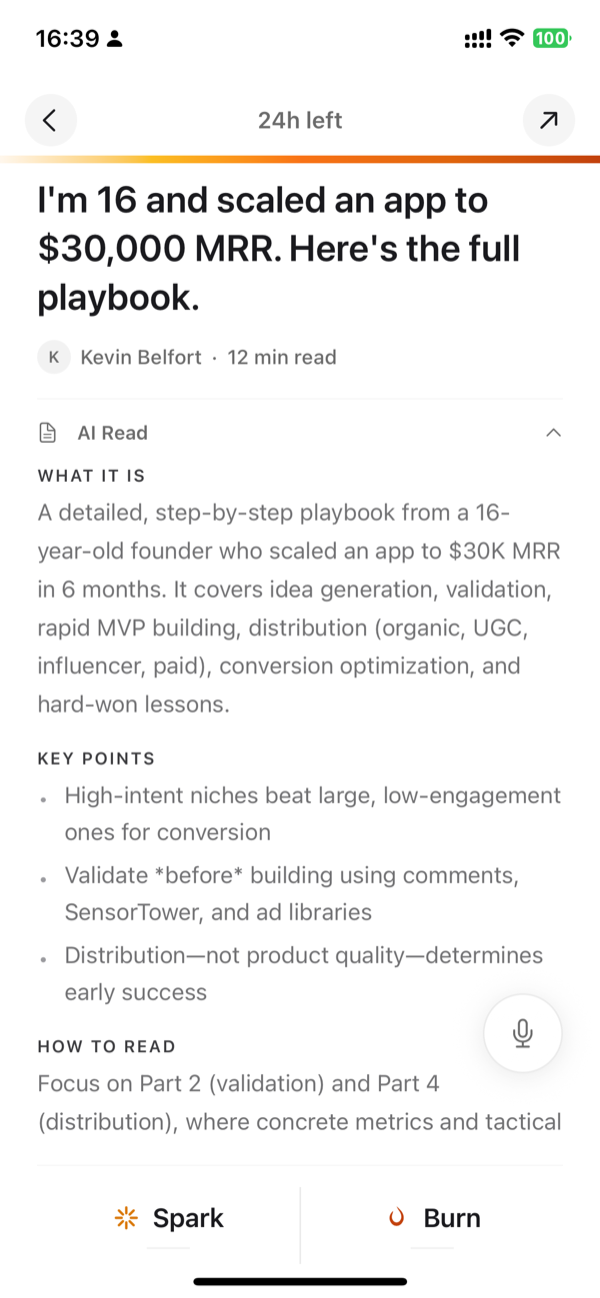
The reason I built Burn 451 is specifically this problem. Articles auto-delete after 24 hours unless you finish or tag them. That is annoying, on purpose. The annoyance forces you to decide at the moment of save whether you actually intend to read something, rather than adding it to a pile that will haunt you until the app shuts down in five years. If you want the Pocket behavior of indefinite accumulation with no pressure, Instapaper or Raindrop are better choices. Neither is wrong — they solve different problems.
Which Pocket Replacement Is Actually Worth Using in 2026?
| Tool | Price | Closest to Pocket | Main difference |
|---|---|---|---|
| Burn 451 | Free tier · Pro $4.99/mo | Chrome + Safari for Mac extensions, web + iOS app and share sheet, no account paywall to start | 24h auto-delete forces triage instead of indefinite accumulation |
| Instapaper | Free / $6 mo | Oldest read-later app, stable, every platform | No AI, product is largely unchanged since 2012 |
| Raindrop.io | Free / $3 mo | Bookmark manager with read-later, visual boards | Closer to a bookmark manager than a read-later tool |
| Readwise Reader | $9.99 mo (annual) | Best-in-class if you highlight and review what you read | $9.99/mo on annual billing ($12.99 monthly); 30-day full-access trial |
| Matter | Free + Premium | iOS-first, polished mobile reading experience | Still operating (free service + Premium); iPhone/iPad/web focus, no native Android, release cadence has slowed |
| Karakeep | Free (self-host) | Full open-source, Docker-based, no external dependency | Requires homelab or server; you handle updates and backups |
| No tool | Free | Browser bookmarks + native Notes app | 84% unread rate, no surfacing, no AI — works if you read immediately |
1. Burn 451 — free tier on web, iOS app and share sheet, Chrome + Safari for Mac, built against accumulation
Price: Free tier · Pro $4.99/mo (7-day trial). Platforms: Chrome extension, Safari extension for Mac, iOS app, web app.
Burn 451 covers Pocket's core workflow: save from Chrome, read on iOS. The critical difference is the 24-hour timer. Articles you save are gone in 24 hours unless you read them or move them to your vault. The vault is where anything you actually keep lives — organized, AI-summarized, queryable by Claude or any MCP-compatible tool.
This is the replacement I recommend for most Pocket users who are also asking themselves "why didn't I read more of what I saved." If you're not asking that question and just want the same passive bucket behavior, use Instapaper or Raindrop.
Not for you if: You want to save articles indefinitely without any expiry pressure, need a native Android app, or primarily save Twitter threads and PDFs at high volume.
Stop saving. Start reading.
Burn gives every link 24 hours — read it or it burns. Free to start.
Get it on the App Store →2. Instapaper — the low-drama choice
Price: Free / $6 per month Premium. Platforms: iOS, Android, web, Kindle, browser extension.
Instapaper is the oldest surviving read-later app and the closest to Pocket's behavior model: save indefinitely, read when you want, no pressure. The free tier is fully functional. Typography is excellent. The app has worked basically the same way since 2010, which is either a sign of product-market fit or development stagnation — I genuinely don't know which.
If you want the closest thing to "Pocket but still running," Instapaper is it. No LLM-over-content (no summaries / chat / library Q&A / MCP / LLM tagging), no timers, no opinions; Premium does ship AI voices + TTS playlists on mobile if you want narration. Just text, good fonts, and a queue.
3. Raindrop.io — bookmark manager that also does read-later
Price: Free / $3 per month Pro. Platforms: All major browsers, iOS, Android, macOS.
Raindrop is more of a bookmark manager than a read-later app, but for Pocket users who treated Pocket like a bookmark manager (i.e., most of them), it's a natural fit. Free tier is generous: unlimited links, collections, tags, browser extensions on all major browsers.
Pro adds AI full-text search and smart collections, which are useful if you save a lot. At $3/month, it's the cheapest paid option in this guide. Full Burn vs Raindrop comparison here.
4. Readwise Reader — the serious upgrade
Price: $9.99/mo on annual billing or $12.99/mo monthly, 30-day full-access trial. Platforms: iOS, Android, web, browser extensions.
If you used Pocket heavily and actually read what you saved, Readwise Reader is the upgrade. AI summaries, highlight review via spaced repetition, Ghostreader chat-with-article. It costs $9.99/mo on annual billing, which is the honest trade-off: you get a premium product, you pay for it monthly.
If you saved articles in Pocket and almost never read them, Readwise Reader gives you a more expensive way to keep not reading them. Be honest with yourself about which category you're in.
5. Matter — still live but Apple-mobile focused
Price: Free service + Matter Premium. Status: Still operating, iPhone/iPad/web focus, no native Android, release cadence has slowed.
Matter is the iOS-native, beautifully designed read-later app that many Pocket users switched to. It's still running and welcomed displaced Pocket users; the free service covers a real read-later library, and Premium adds features like text-to-speech, AI co-reader, newsletter/RSS, highlighting, and Kindle send. The honest caveat is fit: there is no native Android app and the iOS update pace has slowed compared to its 2022–2023 peak. For Matter refugees specifically, the Matter alternative guide has the up-to-date picture.
6. Karakeep — self-hosted, no service dependency
Price: Free if you self-host. Platforms: Web, iOS, Android (via Docker-hosted server).
Pocket shutting down is the exact argument for self-hosting. Karakeep (formerly Hoarder) runs in Docker, supports OpenAI or local Ollama for AI tagging and summaries, and your data never lives on a third-party server that can shut down. GitHub stars are around 25,000. The community is active.
Setup is 30 minutes if you have a server or know Docker. If you don't, the complexity is real. Burn 451 gives you most of the same AI features without the ops overhead if self-hosting isn't your thing.
"I just switched to browser bookmarks and it's fine" — is that actually true?
I hear this from people migrating from Pocket. Some HN commenter, inevitably: "I just deleted Pocket and started using browser bookmarks. I save less, read more, zero friction. The tool was the problem."
This is a legitimate position. Read-later tools optimize for saving friction, not reading. The easier you make it to save, the more you accumulate. Browser bookmarks have enough friction that you self-filter. Some people genuinely do better with no dedicated tool.
The counter-argument: browser bookmarks have no surfacing. An article saved in 2023 is in a flat list sorted by date. You will never encounter it again unless you go looking for it specifically. A read-later tool with a queue or surfacing mechanism at least tries to surface what you saved before you forget it exists.
The honest answer: try two weeks without any read-later app. If you survive fine, you might not need one.
How Do You Migrate Your Pocket Archive After the Shutdown?
Pocket exported as HTML. The format is a flat file with list items, each containing a URL, a title, and metadata including timestamps and tags. Here's what works for each destination:
- •Instapaper: Accepts Pocket HTML directly. Settings → Import → Pocket. This is the smoothest migration path.
- •Raindrop: Accepts Pocket HTML via Settings → Import. Tags and timestamps are preserved.
- •Readwise Reader:Accepts a URL list. Extract URLs from the Pocket HTML (every href attribute in the list items), paste or upload as text. Metadata won't transfer.
- •Burn 451: No bulk Pocket archive import today. Use Burn for new saves going forward, or manually re-save the handful of old Pocket URLs you still care about.
- •Karakeep: Has a Pocket import option in the web UI under Settings → Import.
One honest note on the archive: do you actually need to import 5 years of Pocket saves? An 84% unread rate means roughly 4,200 of your 5,000 saved articles were never opened. Importing all of them into a new tool gives you a new app that immediately looks like the same problem. Consider starting fresh and only importing the 50–100 articles you actually remember wanting to read.
Mozilla's Pocket export documentation has the official format reference if you need to write a custom parser.
What Made Pocket Irreplaceable — and Can Any Replacement Match It?
People remember Pocket as a read-later tool, but Pocket's actual competitive advantage was its browser integration and ubiquity. The Pocket button was in Firefox by default for years. That meant a zero-friction save action for hundreds of millions of Firefox users who never had to install anything. No competing tool has that distribution. Readwise requires a browser extension you install voluntarily. Instapaper requires the same. Even Burn 451's Chrome extension requires you to make a deliberate choice to install it.
The other Pocket advantage was free at massive scale. 150M+ users, all free, for years. Mozilla subsidized it through Firefox. No replacement tool has that subsidy. Free tools in this space now survive by being small and bootstrapped (Burn 451, Instapaper), or by having a clear paid upgrade path (Raindrop, Readwise).
What this means practically: any Pocket replacement requires a voluntary install step that Pocket never required for Firefox users. That step filters out a large fraction of casual users who only saved to Pocket because it was already there. If you're reading this guide, you're not that user — you actively wanted a read-later tool. So the install step is fine. But it's worth understanding why no replacement will ever be as big as Pocket was.
Which Pocket Replacement Should You Use in 2026?
I built Burn 451, so I'm not a neutral party. Here's the honest decision tree:
- •You want Pocket behavior exactly — save indefinitely, no pressure: Instapaper. Free, reliable, no opinions.
- •You used Pocket and almost never read what you saved: Burn 451. The 24h timer will force the behavior change that a passive bucket won't. Free tier; Pro $4.99/mo.
- •You used Pocket heavily and highlighted everything:Readwise Reader. Pay $9.99/mo on annual billing ($12.99 monthly, 30-day trial). It's the category leader for serious readers.
- •You want bookmark manager + read-later in one tool: Raindrop. Free tier is solid.
- •You want to never have this problem again (no cloud service dependency): Karakeep, self-hosted.
Beyond these seven, the wider field includes Mymind, Glasp, Recall, and Wallabag (the long-running self-hosted option — see the FAQ), plus tools that didn't survive: Omnivore was acquired and discontinued. This guide covers the 7 I'd actually point someone to if they called me asking what to install today.
Also useful: the concept hub on Pocket alternatives if you want background on why the read-later category looks the way it does in 2026.
Frequently asked questions
Is Pocket really shut down for good?
Yes. Mozilla officially shut down Pocket on July 8, 2025. The service is no longer available for new saves, and the apps have been removed from the App Store and Google Play. The export tool stayed open until November 12, 2025; after that date exports stopped and account data was queued for permanent deletion. There is no revival planned. This is permanent.
What is the best Pocket replacement in 2026?
It depends on what you actually used Pocket for. If you need something free with good iOS and Chrome support, Burn 451 is the closest functional match — free tier, iOS app, Chrome extension (Pro at $4.99/mo adds AI). If you highlighted heavily and want spaced repetition for what you read, Readwise Reader is worth $9.99/mo on annual billing ($12.99 monthly, 30-day full-access trial). If you want zero-configuration and already use iOS, Instapaper or Matter are clean options. There is no perfect like-for-like replacement because Pocket's real advantage was scale and ubiquity. The honest answer is that Burn 451 covers the core use case for most people who are migrating.
How do I export my Pocket data?
Pocket's service shut down July 8, 2025, but Mozilla kept the export tool open until November 12, 2025. If you exported before that November 12 cutoff, you have an HTML file (ril_export.html) with your full save history. If you missed it, that data is likely gone — the export pathway closed and account data was queued for permanent deletion. If you have the export file, Instapaper and Raindrop both accept Pocket HTML imports directly. Burn 451 does not have bulk Pocket archive import today; use it for new saves or manually re-save the few URLs you actually still care about.
What did Pocket do that most replacements don't?
Three things at once: it was free, it worked on every platform without friction, and the browser extension was a single click. Most replacements do one or two of those things. The free + universal + frictionless combination is what made Pocket's 150M+ user base possible. Burn 451 has a free tier across iOS, web, Chrome, and Safari for Mac. Instapaper is free and cross-platform. Raindrop is free tier plus $3/month for Pro. None of them have achieved Pocket's level of browser-level ubiquity, but for individual use, any of these covers the workflow.
Should I just use browser bookmarks instead of a Pocket replacement?
Only if you read the articles immediately. The browser bookmark folder is where articles go to die — 84% of saved bookmarks are never reopened, and that pattern holds whether you're using bookmarks or a dedicated app. The advantage of a dedicated read-later tool over browser bookmarks is surfacing: a good tool resurfaces what you saved, reminds you it exists, and makes it harder to accumulate 4,000 unread items you never look at again. Browser bookmarks have none of that. If you're migrating from Pocket and want an honest reset, Burn 451's 24-hour auto-delete is designed specifically for this — saves expire unless you read them, which forces triage instead of accumulation.
Does Burn 451 work as a Pocket replacement?
For the core Pocket workflow — save-to-read-later from Chrome, read on iOS — yes. Burn 451 has a Chrome extension, an iOS app, and a free tier (AI summaries and unlimited saves are on Pro, $4.99/mo). Where it differs: saves auto-delete after 24 hours unless you finish or tag them, which is a deliberate break from Pocket's model where articles live forever. The Burn vault (what you actually read and keep) is queryable through an MCP server, so Claude or Cursor can search your saved articles. That's not something Pocket ever did. If you want a passive, indefinite save-forever bucket, Instapaper or Raindrop are closer to Pocket's behavior. If you want the Pocket workflow with a system that fights accumulation, Burn 451 is the replacement.
What happened to Instapaper — is it still safe to use?
Instapaper is still alive in 2026 and one of the more reliable choices in this guide. Pinterest acquired it in 2016, then spun it out to Instant Paper Inc in 2018, and it has operated independently since. The free tier is functional; Premium is $6/month or $60/year and adds unlimited notes, full-text search, permanent archive, and more. For basic save-to-read-later with good typography, it works.
Can I import my Pocket archive into Burn 451?
Not as a bulk archive import today. Pocket exports as HTML, and Burn 451 does not currently ingest that file, CSV, JSON, or a pasted URL list as an archive. If preserving thousands of old Pocket saves matters, import the file into Raindrop, Instapaper, Karakeep, or another archive-first tool. Burn is a better fit for new saves going forward, plus the small number of old URLs you deliberately re-save by hand.
What is the best Pocket alternative app on iPhone and Android?
On iPhone, Burn 451 (free tier, saves from the share sheet like Pocket did, 24-hour triage; AI summaries on Pro) and Matter (Apple-mobile focused, free plus Premium) are the strongest picks. On Android, Raindrop.io, Instapaper, and Readwise Reader all ship full Android apps — Burn 451 has a web app but no native Android app, so Android users who need a native app should start with Raindrop's free tier or Instapaper. All of these accept saves from the system share menu.
Is there a self-hosted Pocket replacement?
Two real options. Karakeep (covered above) is open-source and free if you self-host, with AI tagging and an active project. Wallabag is the long-running self-hosted read-later server — free software with API access and Web, iOS, and Android clients. Both accept Pocket's HTML export. The trade-off is that you operate and maintain the server yourself; if that's not appealing, Raindrop's free tier is the closest hosted equivalent.
What Should You Read Next on Pocket Replacements?
- •Pocket Export HTML Converter: Turn ril_export.html into CSV, JSON, or Markdown
- •Best Read-Later App 2026: 10 Tools Tested
- •Best Readwise Reader Alternative 2026 — if Readwise's price pushed you here too
- •Instapaper Alternatives 2026 — if the 2008 original isn't enough anymore
- •How to Save Articles Without Pocket — the workflow rebuild guide
- •Best Raindrop Alternatives 2026 — if the archive model is the part you're leaving
- •Bookmark App Graveyard: Every Read-Later Tool That Has Shut Down
- •Burn 451 vs Raindrop.io: Which Is Right for You?
- •Reddit Saved Posts: Find, Organize, and Keep Them
- •Matter App Alternatives 2026: 6 Read-Later Apps Compared
- •Pocket Alternative: Concept Hub
- •Burn 451 MCP Server: Query Your Saved Articles from Claude and Cursor
- •Best iOS Bookmark App 2026: 7 Tested on iPhone (Honest Rankings)
- •Best Chrome Bookmark Extension 2026: 7 Tested (Now on Chrome Web Store)
- •Save Articles Without Pocket: a 2026 workflow guide for the post-Pocket era
- •Instapaper Pricing 2026: Is the Free Plan Enough?
- •Bookmark Management Guide 2026: strategies that actually clear the backlog
- •Best Bookmark Manager 2026: 8 Tools Tested and Ranked
- •AI Bookmark Organizer 2026: auto-tag and summarize what you save
- •AI Read Later App 2026: which apps help you read what you save
Pocket is gone. Try the replacement I built — free tier on iOS, web, Chrome, and Safari for Mac (Pro at $4.99/mo for AI).