AI Bookmark Organizer 2026: 5 Apps That Auto-Tag and Summarize What You Save
I had 14 folders in Raindrop. Color-coded. One named “Tools — maybe useful.” A weekly review ritual I abandoned by February.
I still couldn't find an article I'd saved two weeks earlier.
The folder system hadn't failed. I had. (OK, maybe both.)
I built Burn 451 partly to fix this, partly to understand what a bookmark tool should actually do. Tested every AI organizer I could find in the process. Most are shipping a marketing slide. A few change how you work. The difference is specific and testable. If you need the broader category definition before comparing auto-tagging tools, start with the ai bookmark manager guide.
"I have a folder called ‘Read Soon.’ Inside: 847 articles. I added the last one in March. I haven't opened the folder since March. ‘Read Soon’ is a lie I tell myself. The folder just makes it look organized."
Four things get called “AI organization.” They’re not equal.
Before comparing apps, it helps to know which AI features actually change behavior and which are noise. Four things get bundled under the same marketing language:
| Feature | What it actually does | Worth it? |
|---|---|---|
| AI summaries | Fetches full page, writes a 150–300 word summary before you open the link. Solves "I saved this but forgot why." | Yes — most universally useful of the four |
| Auto-tagging | AI assigns subject tags from content. Good: specific, overridable. Bad: "productivity" on 60% of saves, no override. | Depends entirely on implementation quality |
| Semantic search | Find saves by concept, not exact title. "That thing about email and deep work" finds the article even without tags. | Yes — fundamentally changes retrieval |
| Smart collections | AI clusters related saves into suggested groups. Useful when tight; often surfaces clusters too broad to navigate. | Inconsistent — test before paying for it |
5 AI bookmark organizers compared
Tested June 2026. “Price for AI” = cheapest plan that includes AI features.
| App | AI Summary | Auto-Tag | Semantic Search | MCP | Price for AI |
|---|---|---|---|---|---|
| Burn 451 | ✓ free | ✓ free | ✓ free | ✓ native | Free |
| Readwise Reader | ✓ | ✓ | highlights only | — | $9.99/mo |
| Raindrop.io | — | Pro only | Pro only | — | $3/mo Pro |
| Omnivore | ✓ | ✓ | ✓ | — | self-hosted |
| Matter | ✓ | — | — | — | Free |
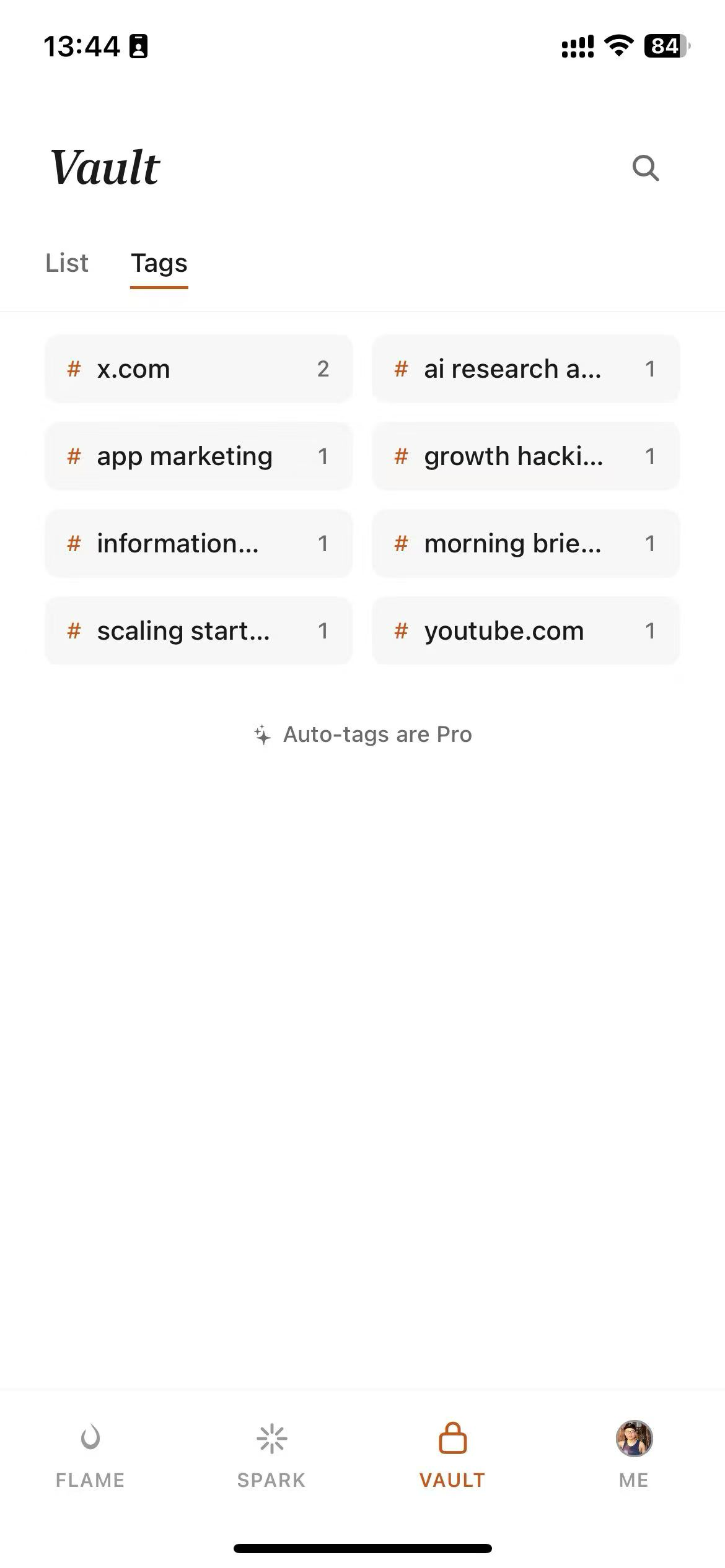
1. Burn 451 — best overall (free tier, iOS, web, Chrome + Safari for Mac, MCP native)
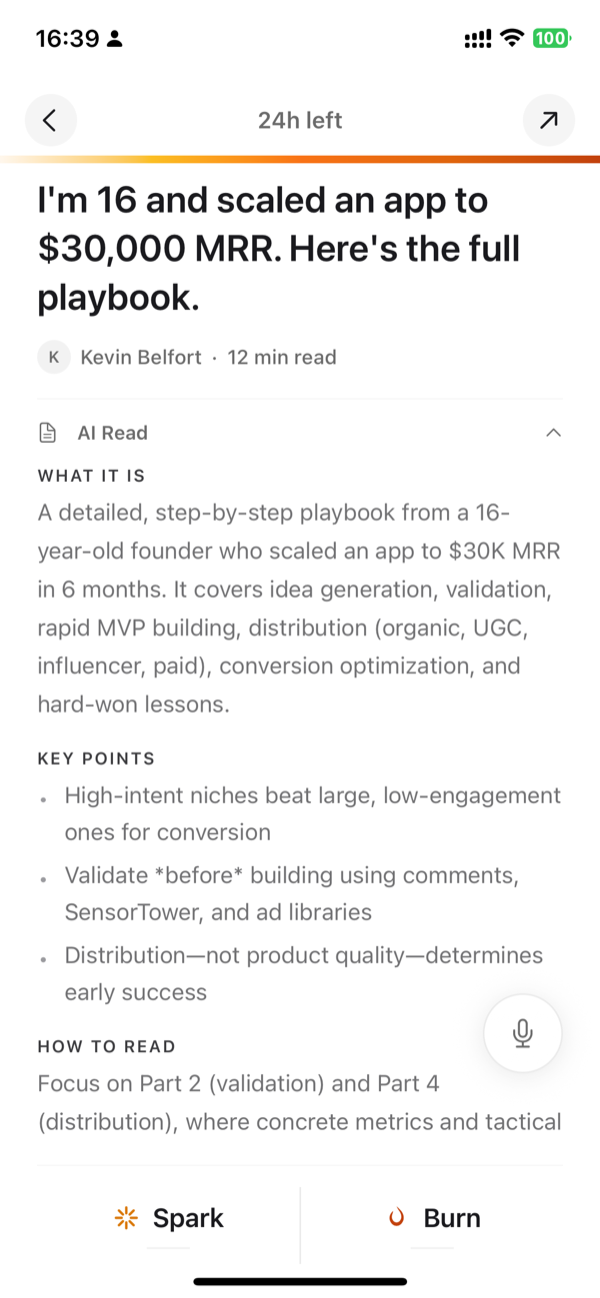
The free tier covers the core flow: save, Vault collections to organize keeps by topic, Chrome extension, and the MCP server for Claude and Cursor. A 24-hour expiry on inbox saves prevents the library from becoming a graveyard: the actual failure mode of every other tool on this list. AI Read summaries on save and full-text search are Pro at$4.99/mo (7-day trial). For the complete head-to-head, see the best AI bookmark manager 2026 roundup.
2. Readwise Reader — best for annotations ($9.99/mo annual)
Combines read-later with a highlights system and spaced repetition review. Semantic search works across your highlights library specifically — not across raw, unread saves. Worth the price if you annotate heavily and want to retain what you read. If you mostly save-and-search without annotation, you're paying $9.99/month for features you won't use.
3. Raindrop.io — best visual library, AI on paid tier (free + $3/mo Pro)
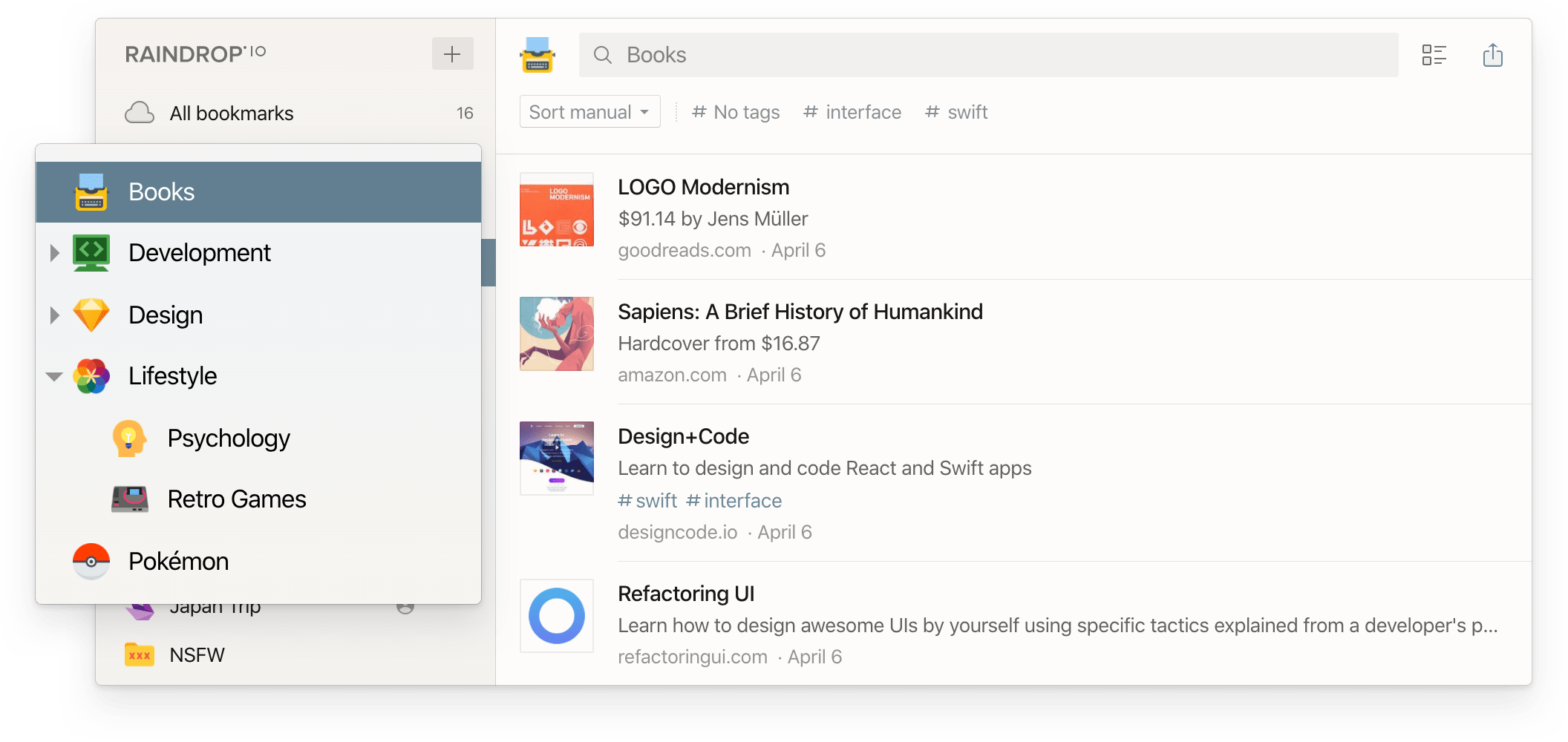
Unlimited bookmarks and folders on the free tier, no AI. Pro adds semantic search, duplicate detection, and broken link alerts. The cover-image browsing interface is genuinely good for visual collections. Opposite design philosophy from Burn 451: Raindrop builds libraries, Burn 451 enforces triage. Pick based on whether accumulation or reading rate is your real problem.
4. Omnivore — open source, now self-hosted only
Hosted service shut down November 2024 after an ElevenLabs acquisition. Codebase is on GitHub. Ran AI summaries, auto-tagging, and semantic search when the hosted version was live. Still viable if you have a server. See the Omnivore alternatives guide if you were on the hosted version.
5. Matter — best for newsletters (free)
Specializes in newsletters and long-form articles. AI summaries work reliably for the content Matter targets. No Chrome extension, no semantic search, iOS and Android only. Strong for newsletter-heavy reading queues; weaker as a general web clipper.
"Deleted all my Raindrop folders in January. Cold turkey. No tags, no nested collections, nothing. Three months later I can find things faster than when I had the system. The system was the problem."
How to tell if the AI is real or a marketing slide
“Smart organization,” “AI-powered,” “never lose a link again” — identical language, wildly different implementations. Four things to actually test before switching:
- →Does the summary appear before you open the link?If you have to open the article to get the summary, triage isn't solved. It should be in your inbox view at save time, not on the article page.
- →Can you search by concept, not title?Type “the article about context windows in long-horizon agents” and see what comes back. If it only matches on title text, the semantic search claim is decorative.
- →Does it work on mobile saves? A significant share of saves happen from the iOS share sheet. If AI features only activate from the Chrome extension, you have partial coverage.
- →Does it solve accumulation or just organize it?AI tagging makes a large library more navigable. It doesn't stop the library from growing indefinitely. If reading rate matters to you — not just retrieval — look for inbox limits or expiry mechanics in the design.
Migrating from a manual folder system
If you have thousands of manually tagged bookmarks: don't import them all. Import the last 90 days. Anything you haven't touched in three months is almost certainly something you'll never use — and importing it means your AI tool spends its first month organizing a graveyard instead of things you actually care about.
Start fresh on recent saves. See how the AI handles your content types. Decide after 30 days whether the older archive is worth the import overhead. In my experience, it rarely is. For a framework on why library size is the wrong metric, the bookmark management guide covers the four approaches that actually change retrieval outcomes.
FAQ
What does an AI bookmark organizer actually do?
An AI bookmark organizer automatically generates summaries of pages you save, suggests or applies tags without manual input, and provides semantic search so you can find saves using natural language rather than exact title matches. The best ones also flag saves you've never opened, suggest related items, and surface relevant saves when you start a new task — functions that manual folders can't replicate at scale.
Do AI bookmark tools really save time, or do they just add complexity?
They save time if you have more than 50 active saves. Below that, manual filing is fast enough. Above 50 saves, the time cost of tagging each item and remembering folder structure starts to exceed the time saved by organization. AI automation removes the tagging step entirely: you save, the AI summarizes and tags, and you retrieve by searching the way you'd talk about the topic. The net time gain becomes significant once your library reaches 200 or more items.
Which AI bookmark organizer is best for iPhone and iOS?
Burn 451 is the strongest AI bookmark organizer built specifically for iPhone. It generates AI summaries on every save, applies automatic organization through vault collections, and includes a 24-hour expiry mechanic that prevents indefinite accumulation — the core failure mode of traditional bookmark managers. Its free tier covers saving, vault collections, and an MCP server so your AI tools can search your saves in context; AI Read summaries are Pro at $4.99/mo. It works with a Chrome extension for saving from desktop.
Can AI bookmark organizers replace manual tagging completely?
For most people, yes. AI-generated tags cover the functional need in 85 to 90% of cases. The exceptions are highly specialized domains where you use terminology the AI doesn't weight consistently, or when you need tags that reflect your personal taxonomy rather than the content's natural categories. In those cases, a manual override layer (like Raindrop.io's tagging system alongside AI suggestions) gives you the best of both.
Is there a free AI bookmark organizer?
Yes. Burn 451 has a free tier — save, auto-organize into vault collections, Chrome extension, and iOS app, with no ads. The AI features (AI Read summaries, auto-tag, full-text search) are Pro at $4.99/mo with a 7-day trial. Raindrop.io reserves AI for its $3/month Pro plan; Readwise Reader is $9.99/mo; most other AI bookmark tools are premium-only. Burn's free tier is usable on its own, and Pro is among the lower-priced AI options.
Related: Best AI Bookmark Manager 2026 · Bookmark Management Guide · Pocket Replacement 2026 · Best Read-Later App for iOS · Omnivore Alternatives 2026. How an LLM knowledge base organizes saved research · Personal knowledge bases: structure, retrieval, and maintenance
Try Burn 451 — AI bookmark organizer, free on iPhone and Chrome.
24-hour triage forces you to read what you saved. Vault collects the keepers. Free tier to start; AI Read summaries are Pro at $4.99/mo.
Get it on the App Store →