Alternatives
Readwise Alternatives: 6 Options Worth Trying (2026)
Readwise Reader combines reading, annotation, feeds, AI assistance, and daily highlight review. The alternatives below cover parts of that workflow, but none reproduces every layer. Compare them by the part you actually use.
- Matter: reading, newsletters, highlights, and audio.
- Burn 451: deadline-based triage for unread saves.
- Instapaper: a simpler traditional read-later queue.
- Raindrop.io: permanent visual bookmark organization.
- Wallabag: an open-source read-later service.
- Karakeep: a self-hosted archive with automatic tagging.
Which workflow are you replacing?
Start hereHighlights and daily review
Stay with Readwise Reader unless another app can preserve the review habit you value.
Too many unread saves
Built by usBurn 451 uses a 24-hour queue for unread saves, with selected items moving to Spark or Vault.
Permanent bookmark organization
Choose Raindrop.io for collections, tags, files, and a long-term visual library.
Self-hosted control
Choose Wallabag for focused reading or Karakeep for a broader searchable archive.
Quick comparison: 6 Readwise alternatives at a glance
| Product | Highlights / notes | Spaced review | RSS / newsletter | Plan | Self-hosted | AI features | Platforms |
|---|---|---|---|---|---|---|---|
| Matter | Yes (Premium) | No | RSS + newsletters | Free; $8/mo or $60/yr | No | Co-Reader on Premium | Web, iPhone, iPad |
| Burn 451Built by us | No | No | No | Free; Pro $4.99/mo | No | Summaries, search, MCP | Web, iOS, Chrome, Safari for Mac |
| Instapaper | Yes; free limit | No | No inbox | Free; $5.99/mo or $59.99/yr | No | AI Voices + text-to-speech | Web, iOS, Android |
| Raindrop.io | Yes | No | No inbox | Free; Pro $3/mo or $28/yr | No | AI Assistant on Pro | Web, iOS, Android, desktop |
| Wallabag | Annotations | No | RSS / Atom | Self-host free; hosted from €11/yr | Yes | No built-in AI | Web, iOS, Android, e-readers |
| Karakeep | Yes | No | RSS ingestion | Self-host free; cloud public beta | Yes | Automatic tagging | Web, iOS, Android, extensions |
Features and competitor plans checked on official product pages July 30, 2026. Readwise Full is $9.99/month billed annually or $12.99 monthly after a 30-day trial.
1. Matter
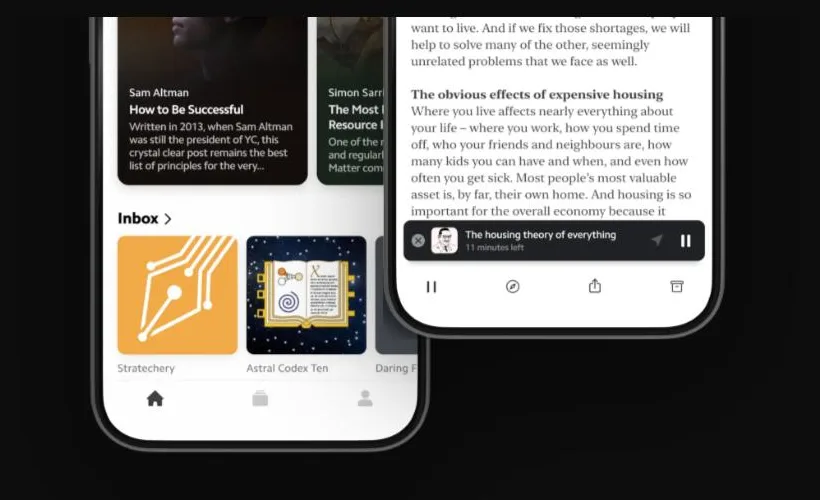
- Use case: articles, newsletters, writer feeds, and listening in one reading queue.
- Core features: highlighting, notes, text-to-speech, full-text search, tags, and integrations.
- Plan and platforms: basic read-later is free; Premium is $8/month or $60/year on web, iPhone, and iPad.
- Main trade-off: no daily spaced-review system and no native Android app.
“I've hired Matter as my Read It Later app, and it works great.”
“I was using it yesterday and the ‘send PDF’ option is entirely gone from the web app.”
2. Burn 451
Built by usDon't save more. Keep only what proves worth keeping.
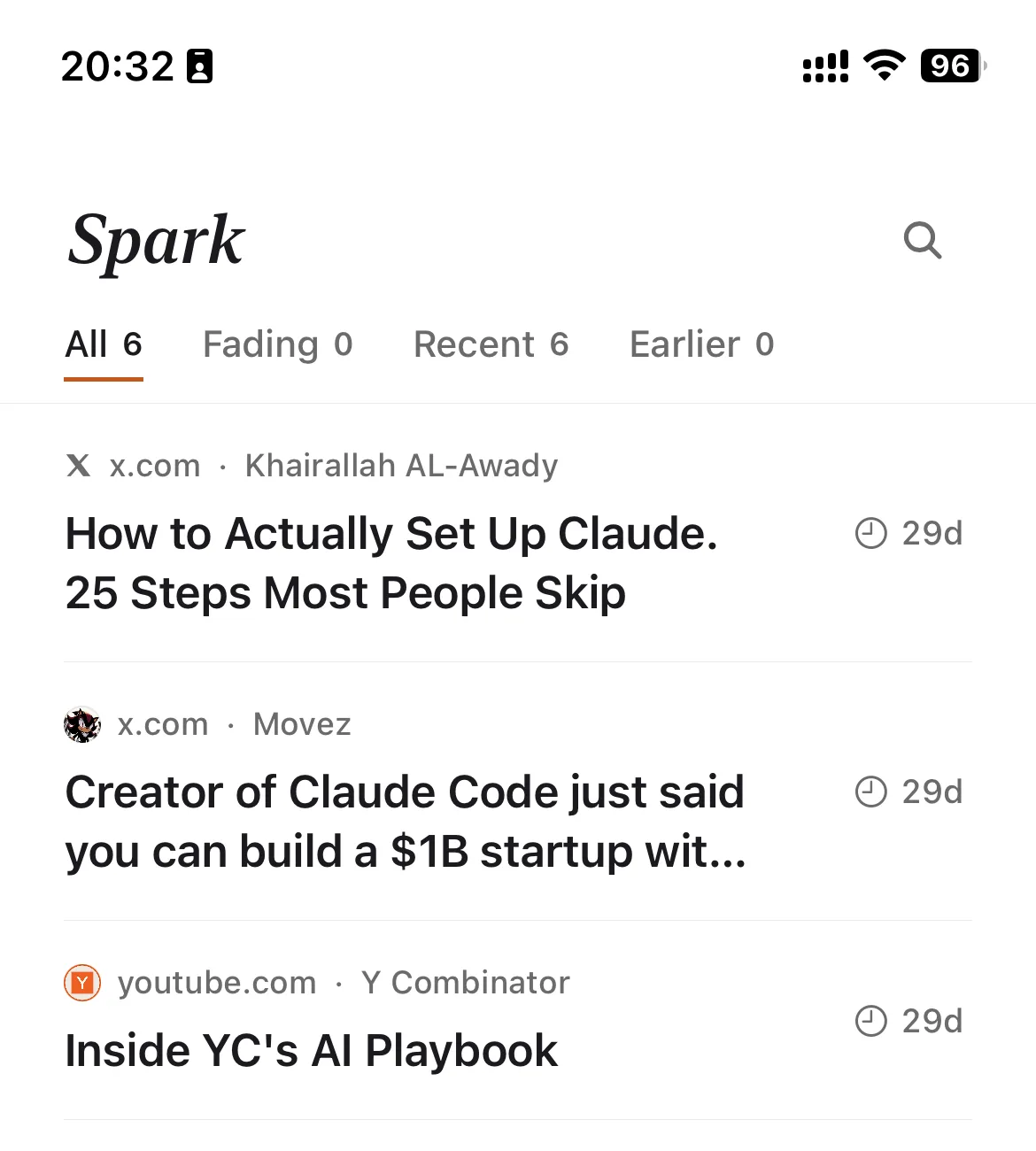
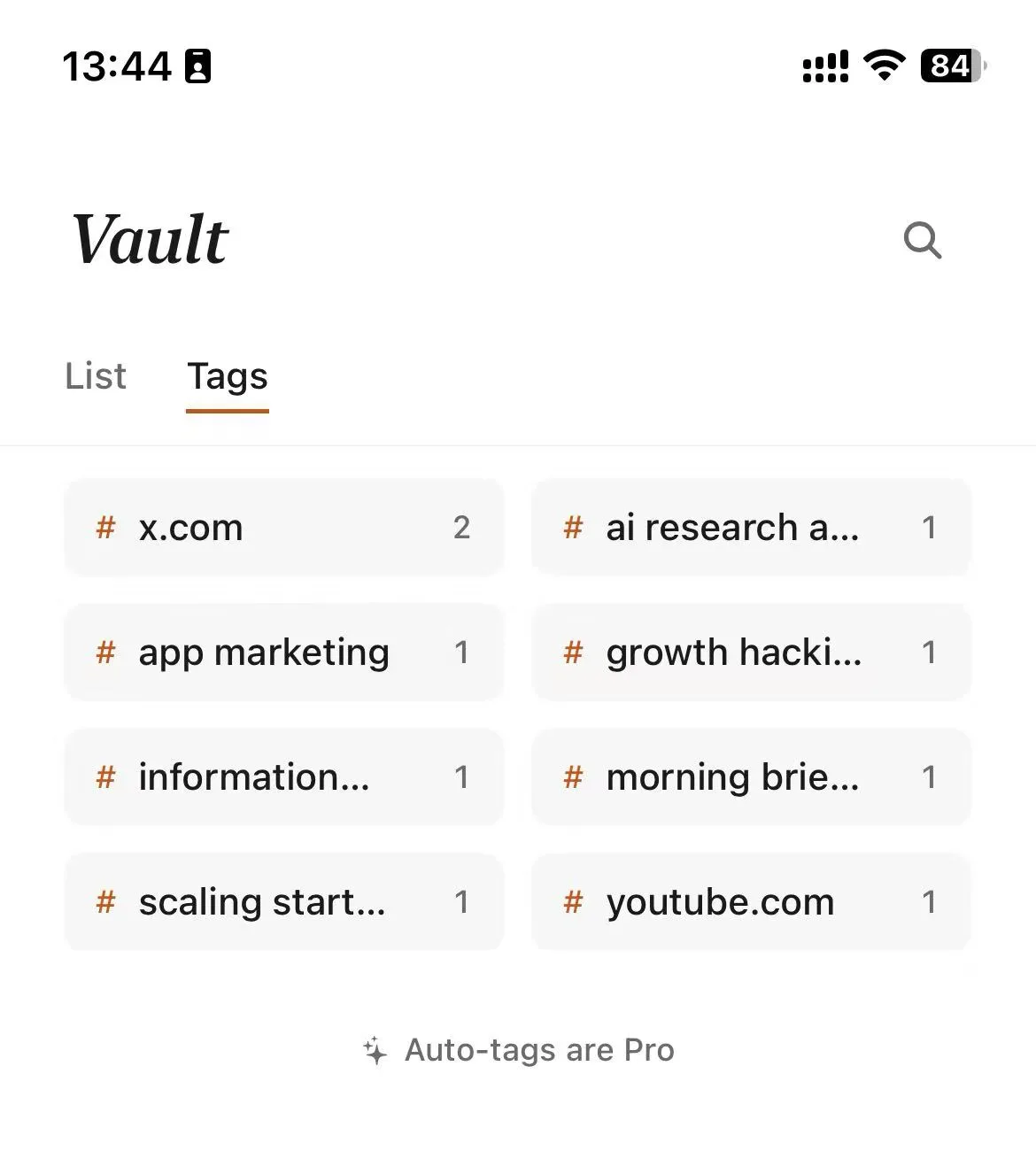
Every new save gets 24 hours. Read it, rescue it, or let it burn. What survives moves from Flame to Spark—and only the genuinely valuable belongs in your permanent Vault.
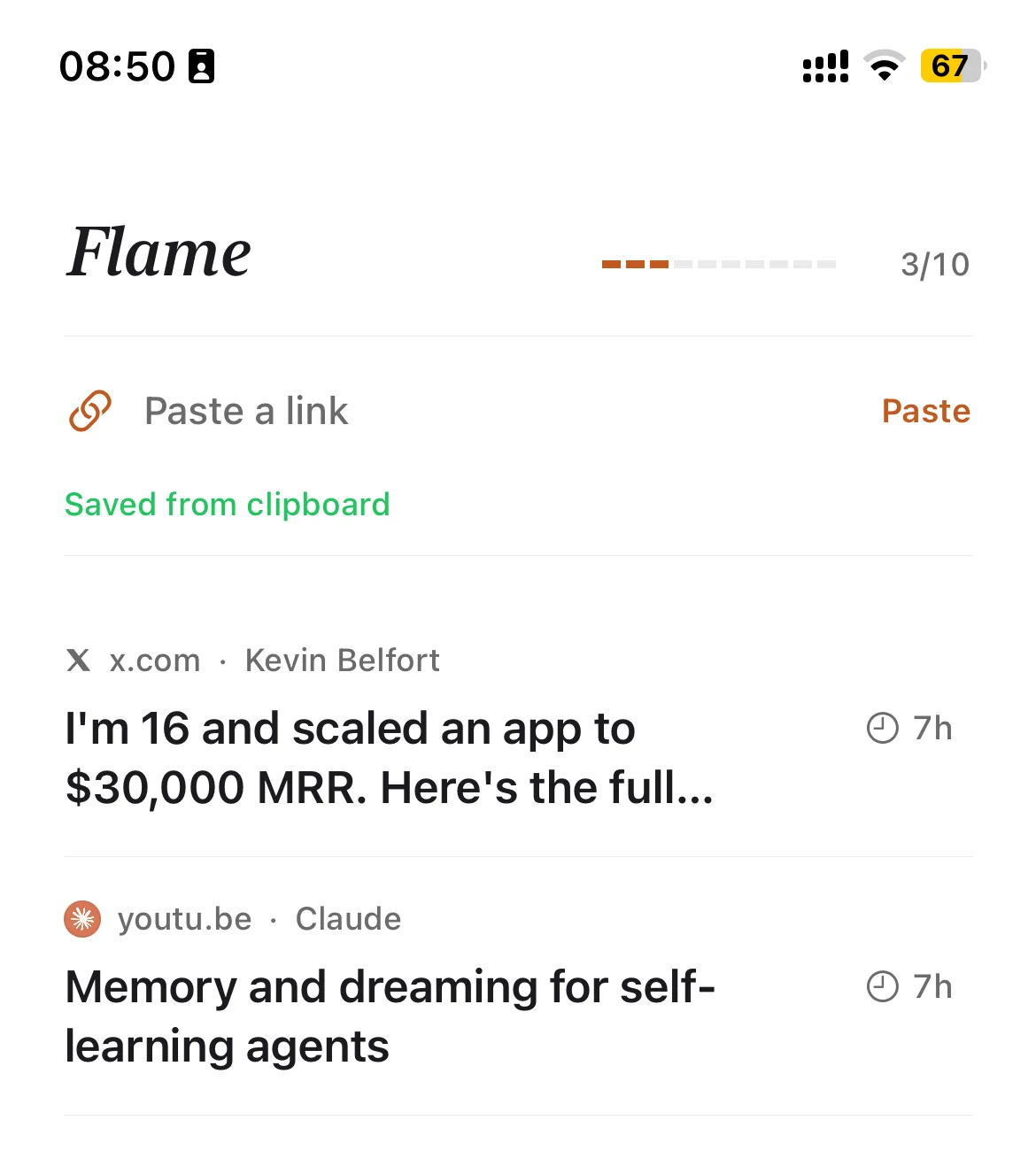
Flame · 24 hours
Temporary by default. Read it, rescue it, or let it disappear.
Spark · up to 30 days
More time for something you genuinely intend to read.
Vault · permanent
A home for material that proved worth keeping.
AI and MCP make what survives easier to find and reuse—they support the filter instead of encouraging a larger pile.
Readwise Reader vs Burn 451
Choose Readwise Reader for
Inline highlights, annotations, feeds, and a daily review system that helps you revisit what you learned.
Choose Burn 451 for
A 24-hour queue that forces a decision, Flame-to-Vault triage, and AI search or MCP access when you need saved knowledge again.
- Use case: new saves enter a short-lived queue instead of accumulating indefinitely.
- Core features: Flame triage, a permanent Vault, AI summaries, search, and MCP access.
- Plan and platforms: the core workflow is free; Pro is $4.99/month on web and iOS, with Chrome and Safari for Mac capture.
- Main trade-off: no inline highlighting, spaced-repetition review, native Android app, or self-hosted edition.
Full disclosure: I built Burn 451. If highlights and daily review are why you pay for Readwise, Burn is not a like-for-like replacement. No independent Reddit or X quote is shown because the source search did not produce a traceable user review.
3. Instapaper
- Use case: a focused article queue with offline reading and fewer knowledge-management layers.
- Core features: clean reading, folders, highlights, notes, offline sync, and optional PDF, search, Kindle, and audio tools.
- Plan and platforms: the free plan covers unlimited saves and device sync; Premium is $5.99/month or $59.99/year on web, iOS, and Android.
- Main trade-off: it does not combine a feed inbox with Readwise's daily highlight-review workflow.
“If I was a new customer — and had no Pocket data to import — I would still choose Instapaper.”
“Instapaper WILL import all of your articles and tags. But, no text will be highlighted.”
4. Raindrop.io

- Use case: organizing permanent bookmarks, files, and references across devices.
- Core features: collections, tags, highlights, imports and exports, collaboration, and Pro search and archiving.
- Plan and platforms: unlimited bookmarks, collections, highlights, and devices are free; Pro is $3/month or $28/year across web, mobile, desktop, and browser extensions.
- Main trade-off: organization is the center of the product; it has no feed inbox or spaced review.
“I tried a lot of different apps ... Raindrop is the only one that stuck.”
“Raindrop feels more like a bookmarks manager rather than a true read-it-later app.”
5. Wallabag
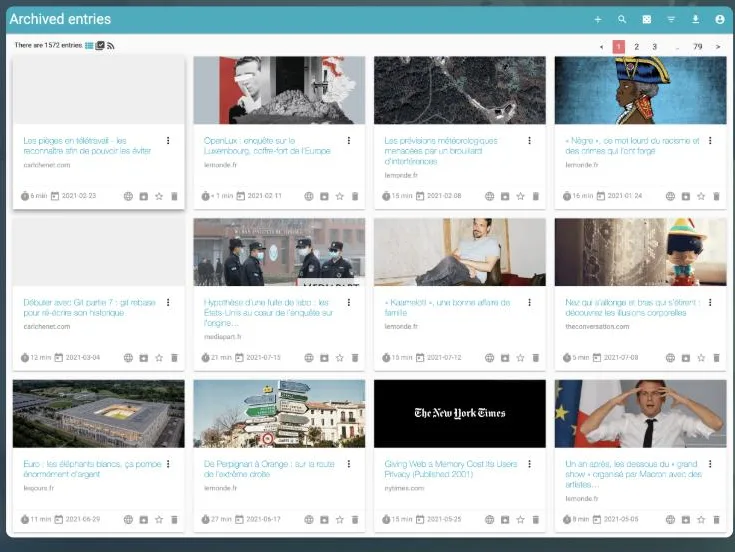
- Use case: distraction-free reading with control over the service and stored archive.
- Core features: article extraction, annotations, tags, search, imports and exports, RSS, and e-reader support.
- Plan and platforms: self-hosting is free; the managed service starts at €11/year on web, iOS, Android, and supported e-readers.
- Main trade-off: self-hosters manage installation, updates, backups, and availability; there is no built-in AI or spaced review.
“Wallabag is fantastic. It's basically a self-hosted Pocket.”
“Wallabag ... had problems extracting the content for some sites.”
6. Karakeep
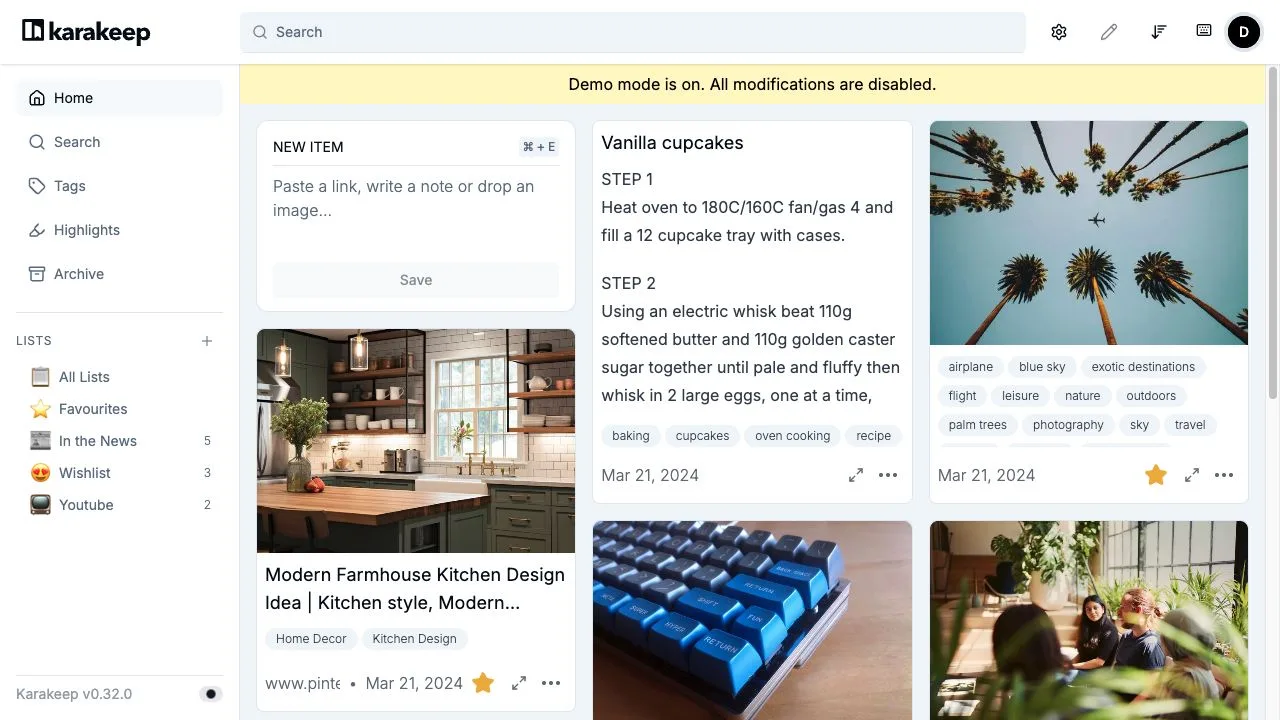
- Use case: self-hosting links, notes, images, PDFs, and feeds in one searchable archive.
- Core features: highlights, automatic tagging, full-text search, RSS ingestion, rules, API, and webhooks.
- Plan and platforms: the open-source self-hosted edition is free; Karakeep Cloud is in public beta, with web, iOS, Android, and browser extensions.
- Main trade-off: self-hosting adds operational work, while public cloud pricing is not stated on the public product page.
“Karakeep is actually fantastic as a self hosted read later service.”
“The only downside is that it doesn't sync with my e-reader.”
Migration notes
- Export Readwise first. Keep highlights, notes, and saved-item metadata in a durable backup before changing subscriptions.
- Test the fields you care about. Move a small sample and confirm how the destination handles highlights, tags, PDFs, and source links.
- Separate retention from the reading queue. If daily highlight review matters, preserve that workflow even if new saves go elsewhere.
- Move only active reading. Avoid copying an unread backlog into a new inbox by default.
Frequently asked questions
Which alternative is closest to Readwise Reader?
Matter has the closest streamlined reading workflow, with highlights, newsletters, feeds, audio, and a web and Apple-device experience. It does not include Readwise's daily highlight review, and it has no native Android app.
Which Readwise alternatives have useful free plans?
Matter, Instapaper, Raindrop.io, and Burn 451 each offer a free plan, but the limits and product jobs differ. Wallabag and Karakeep can also be self-hosted without a software subscription, with the operator responsible for hosting and maintenance.
Does Burn 451 replace Readwise Reader?
Not for highlighting or daily review. Burn 451 is for triaging unread saves into a short-lived queue and keeping selected items in a searchable vault. It has no inline highlights, spaced-repetition review, native Android app, or self-hosted edition.
Can I move away from Readwise without losing my highlights?
Export your Readwise data first and keep that backup. Test a small set in the destination you choose, confirm how notes and highlights are preserved, and move only the unread items you still plan to read.
Related reading
Need a shorter queue rather than a deeper annotation system?
Burn 451 is free to start. Its trade-off is explicit: triage and an AI-searchable vault, without highlights or spaced review.
Get it on the App Store →