Back to blog

Best Evernote alternatives in 2026

The direct list — organized by what you actually used Evernote for. Every free-tier limit verified against official pricing pages in July 2026; every user verdict linked to its source.

July 10, 2026·7 min read
The 30-second answer — pick your Evernote:
You used it for
Web clipping
Raindrop.io to file pages, Burn 451 to actually read them
You used it for
Notes & notebooks
Joplin (closest match), Obsidian, Notion
You used it for
Simple & free
Disclosure: we make Burn 451, so we have a horse in this race — which is why each category names a competitor first when the competitor is the better fit.
Why people are switching (10 seconds): Evernote's free plan has been capped at 50 notes / 1 notebook since Dec 2023 — still in force in 2026 — and paid plans have been restructured repeatedly since the Bending Spoons acquisition. One user's HN summary: "Evernote tripled their price, from $41.99... to $129.99" (jlmorton).

1 · If you need a web clipper

The half most lists skip — and for many people the main event. Two options, split by what the clips are for:

Raindrop.ioclip pages to file and organize
Free tier: Collections, tags, and public sharing all on the free plan; full-text search and permanent copies are Pro.
Pick it if: Your clips are reference material you'll need again — a visual filing cabinet.
"I moved to raindrop.io. Imported all the Pocket stuff with no issues, free plan is enough for me." pentagrama, Hacker News
"Ill add raindrop to the mix nice service i used to use until i have hundreds of items in it and its so messed up to get back to..." u/SweatySource, r/productivity
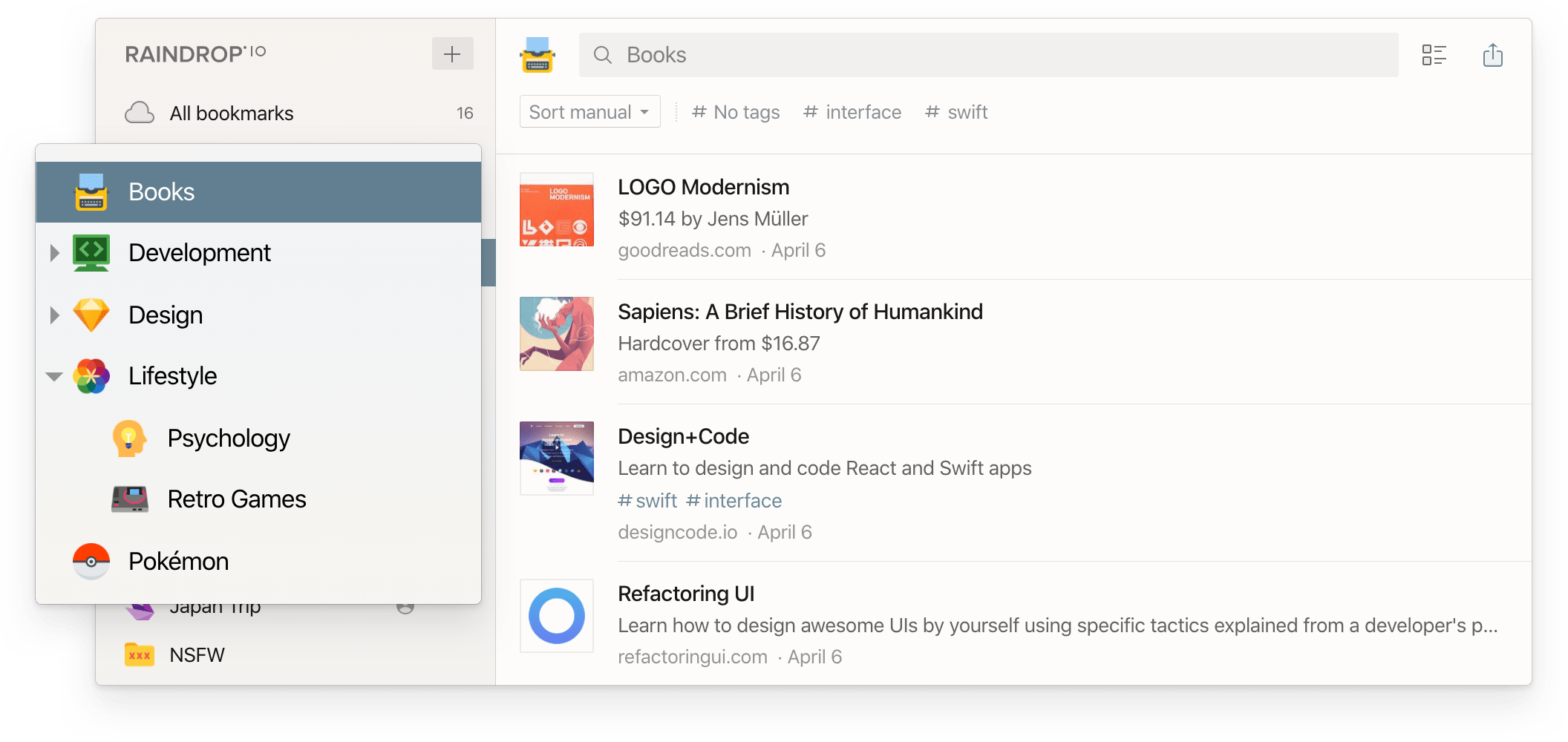
Raindrop.io visual bookmark collections — Evernote Web Clipper alternative for filing links
Burn 451clip articles to actually read
Free tier: 5 saves/day, iOS app, Chrome extension, Vault collections. AI summaries & full-text search are Pro ($4.99/mo or $48/yr, 7-day trial).
Pick it if: Your Evernote was really an unread article pile — note the Raindrop comment above about 'hundreds of items... messed up to get back to'. Every Burn save gets a 24-hour read-or-burn deadline: read it, rescue it to a Vault, or it burns. The pile structurally can't regrow.
Burn 451 triage screen — saved articles with 24-hour read-or-burn countdown timers

2 · If you need a notes app

Four real options, ordered by how directly they replace Evernote:
Joplinthe closest Evernote replica
Free tier: Free and open source, unlimited notes; sync via your own storage or Joplin Cloud (from €2.99/mo).
Pick it if: You want Evernote's notebook model back, minus the caps — it imports .enex files directly, attachments included.
"Joplin (open source) is pretty much an exact replica of Evernote and can import Evernote data." jhbadger, Hacker News
"Tired of being treated like an ATM from so many companies though... apps like Joplin do just as good as Evernote and you can sync it to your Dropbox again. Never switching back." u/buck-bird, r/Evernote
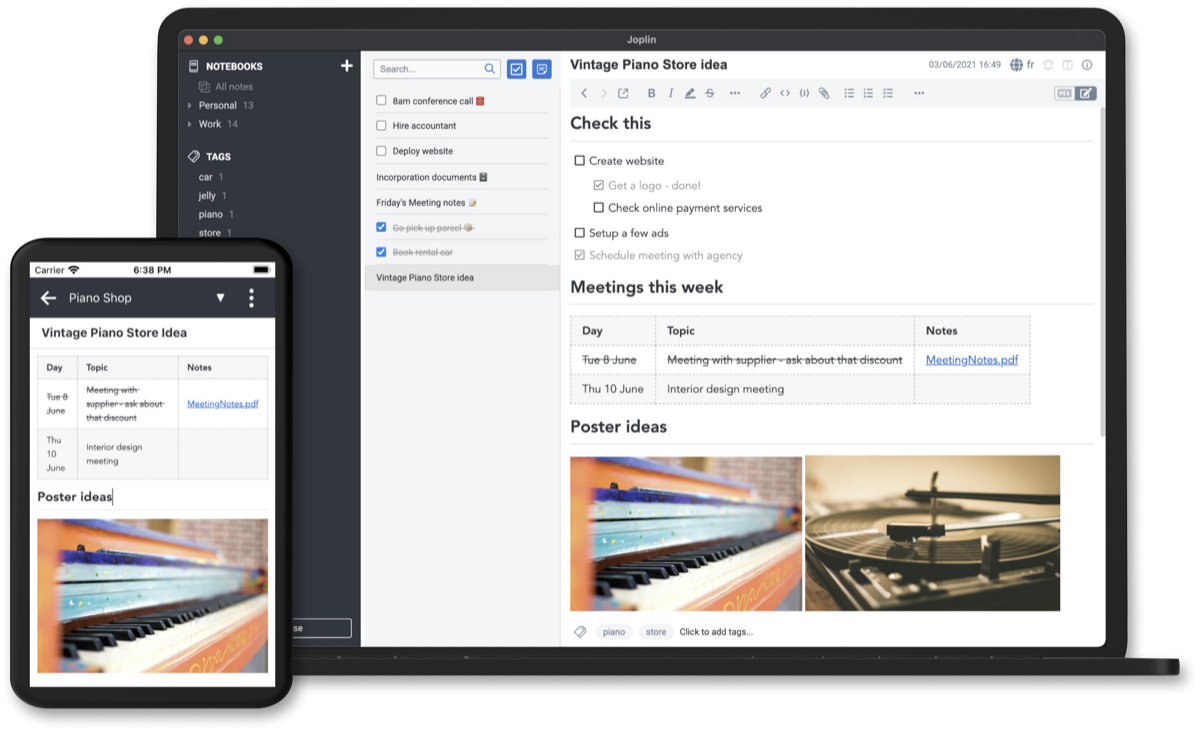
Joplin desktop app — open-source Evernote alternative with notebooks and Markdown editing
Obsidiannotes as local Markdown files you own
Free tier: Free for personal use, no note limits; Sync add-on $4/mo (annual) if you want their sync.
Pick it if: After Evernote, you never want your notes locked in anyone's database again.
"Switched in summer 2023 from 2.000 notes as Evernote user for 12 years. Obsidian can not only replace Evernote but the Plugins pushed it's usability to new levels." u/vghgvbh, r/ObsidianMD
"I had been a paying Evernote customer since 2011 or so... I ended up exporting everything and used Obsidian to convert my notes into Markdown files." jantissler, Hacker News
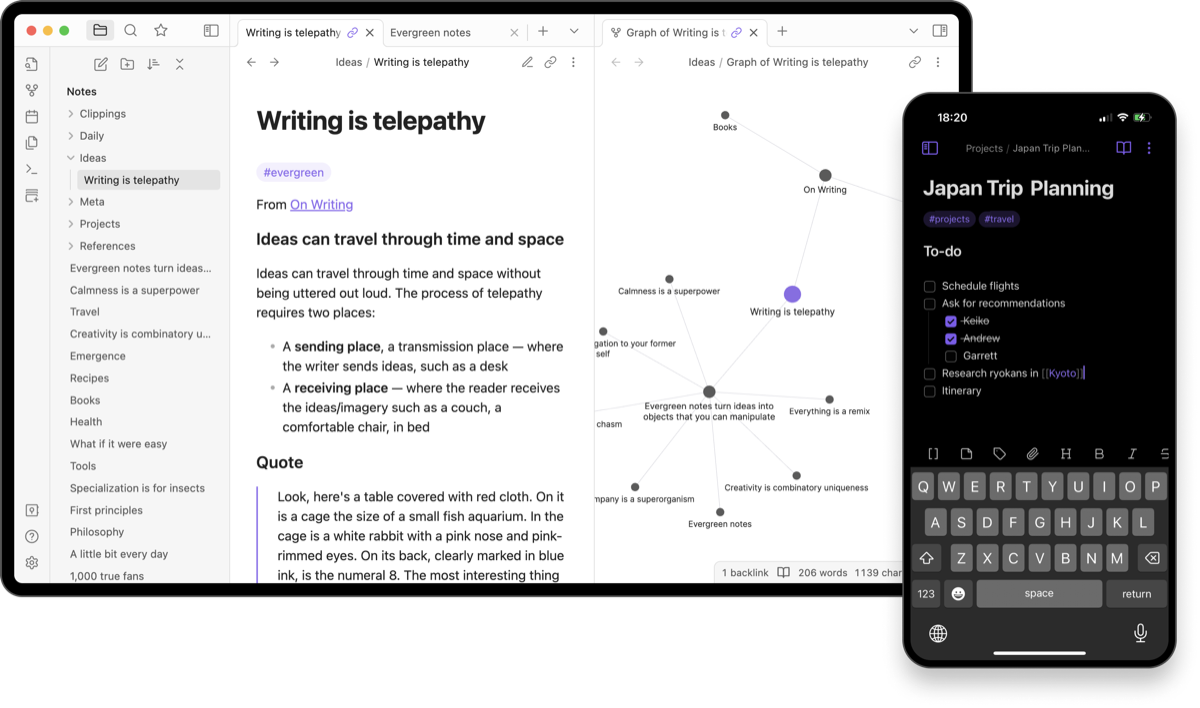
Obsidian desktop and mobile — local Markdown notes with graph view, an Evernote alternative you own
Notionnotes, docs, and databases in one workspace
Free tier: Generous free plan (5MB file uploads, 7-day page history); Plus $10/member/mo.
Pick it if: Your 'notes' were really project docs — and you want the built-in Evernote importer.
"I used the Notion import function and it worked well. Not always perfect. Sometimes if you select multiple notebooks to import, it may skip one... I had over 35,000 notes to import." u/indyarchyguy, r/Evernote
"I looked at Notion. I fell in love with it immediately... It's been 2.5 years. I am still a raving fan." koliber, Hacker News
UpNotelightweight Evernote feel, one-time price
Free tier: Free up to 50 notes (yes, same cap as Evernote) — but unlimited costs $39.99 once, not per year.
Pick it if: You liked Evernote fine and just want off the subscription treadmill.
"I switched from Evernote to Upnote and... I've found my note utopia." cyberge99, Hacker News
"Upnote is fast, and works well. I bought the lifetime license a year ago. I just don't know if I can jump in with both feet when it's just 2 dudes in Vietnam maintaining the app... but I live off of my notes app." u/monofurioso, r/Evernote
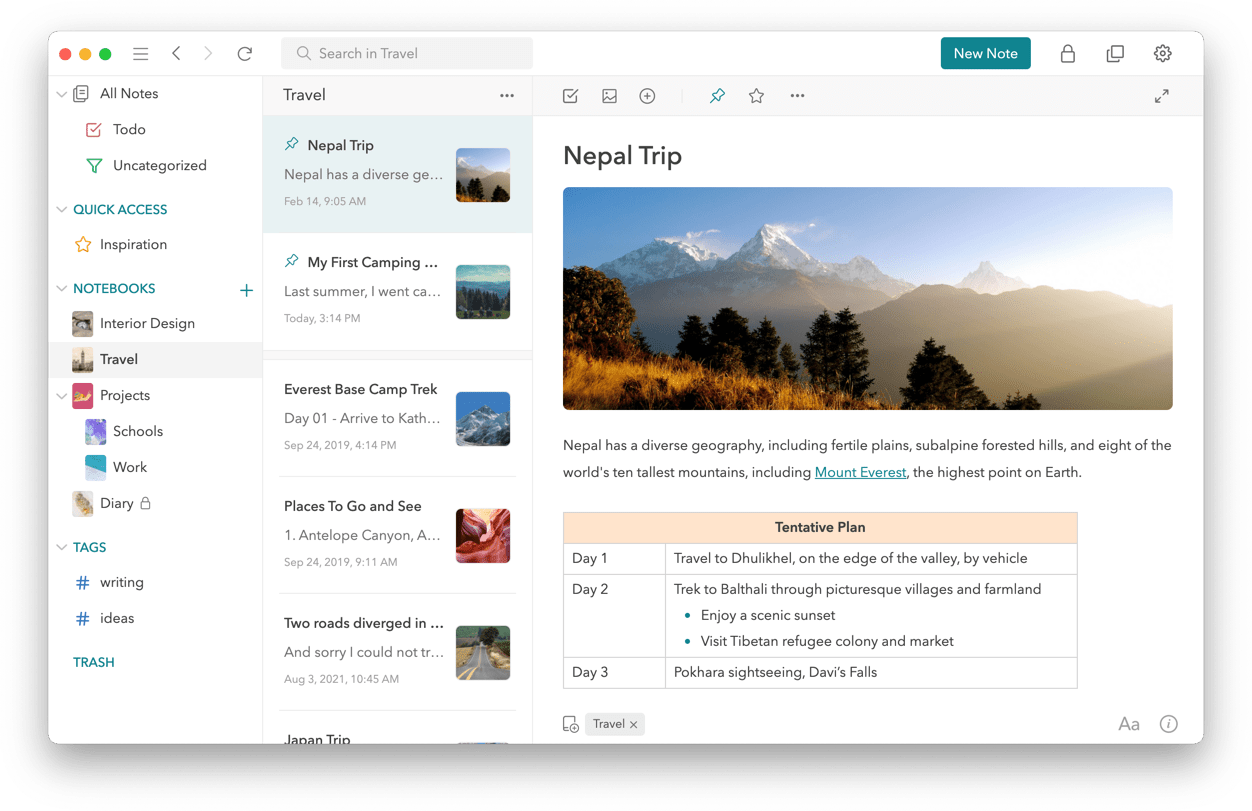
UpNote desktop app — Evernote-style notebooks with a one-time $39.99 lifetime price

3 · If you just want simple and free

No table stakes, no upsells:
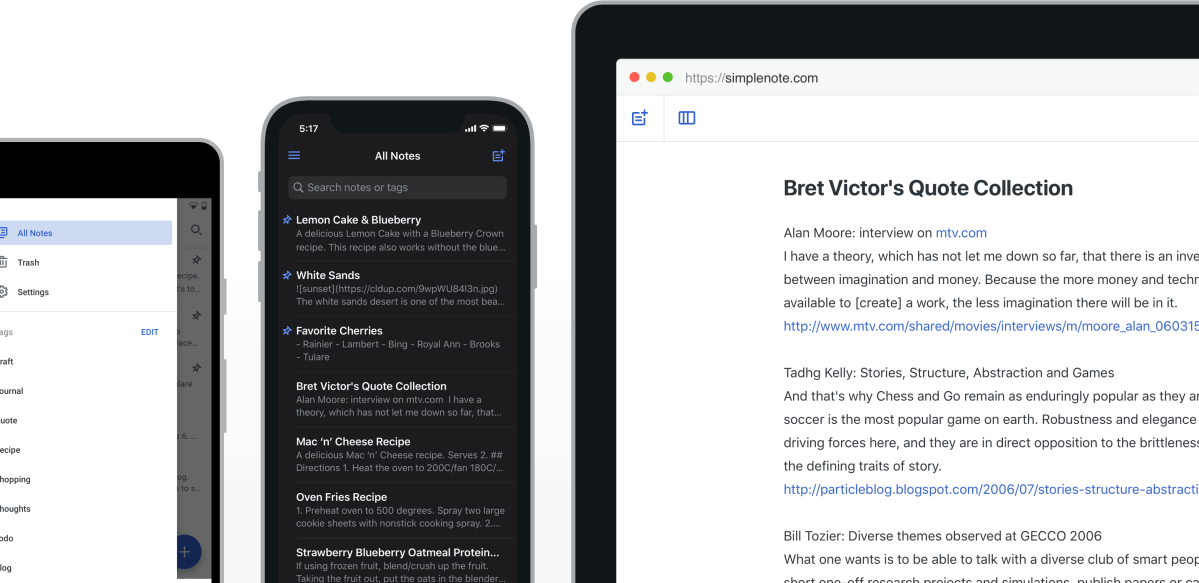
Simplenoteplain text notes, everywhere, free
Free tier: Everything free — apps, sync, backups, sharing.
Pick it if: Your notes are text and you want sync that never breaks.
"Its syncing mechanism is absolutely bulletproof and extremely fast." hendersoon, Hacker News
Simplenote app — free plain-text notes with sync, a simple Evernote alternative
OneNoteMicrosoft's free notebook
Free tier: Free across Windows/macOS/iOS/Android/web with 5GB cloud storage.
Pick it if: You live in Microsoft 365 already and want freeform notebooks.
Apple Notesthe default that got good
Free tier: Free with any Apple device; syncs via iCloud.
Pick it if: You're all-Apple and want zero new apps.
"Converted out to Apple Notes and couldn't be happier." dsizemore, Hacker News
"I had more than 5,000 notes in Evernote... when the subscription price skyrocketed, I exported all the notes and ported them to Apple Notes... I don't miss Evernote at all." u/Caughill, r/Evernote

Side-by-side

ToolReplacesFree tier (verified July 2026)Paid
Raindrop.ioWeb clipper + bookmark libraryCollections, tags, sharing free; full-text search is ProPro (see raindrop.io for current rate)
Burn 451Web clipper + read-later (anti-pile)5 saves/day, iOS + Chrome, Vault collectionsPro $4.99/mo or $48/yr — AI summaries, full-text search
JoplinNotes (closest .enex import)Free & open source, unlimitedJoplin Cloud from €2.99/mo
ObsidianNotes (local Markdown)Free for personal use, no limitsSync $4/mo (annual)
NotionNotes + docs + databasesGenerous free planPlus $10/member/mo
UpNoteNotes (Evernote-like, buy once)Free up to 50 notes$1.99/mo or $39.99 lifetime
Simplenote / OneNote / Apple NotesSimple notesFully free

Migration: three steps, do it this week

  1. Export each Evernote notebook as an .enex file (free accounts can still export, even over the cap).
  2. Import: Joplin reads .enex directly; Notion has a built-in importer; Obsidian imports via its official Importer plugin.
  3. For clipped articles you never read: keep the top 20, let the rest go — the unread pile doesn't migrate away, it just changes apps.

Why this week: export windows don't stay open forever. Pocket's closed eleven weeks after the service died, and everything inside was deleted — the read-it-later graveyard has the full list. Evernote is alive and exporting today; that's the good scenario.

FAQ

Is Evernote still worth using in 2026?

It depends on which Evernote you mean. The product still works, the Web Clipper is still maintained (updated July 2026 on the Chrome Web Store, 2M users), and a major v11 update has been announced. But the free plan has been capped at 50 notes, 1 notebook, and 1 device since December 2023 — still in force on the official pricing page in 2026 — and paid pricing has been restructured repeatedly since Bending Spoons acquired the company. If you're on the free plan with more than 50 notes, you can view and export them but not add new ones. That's the practical reason most people search for alternatives.

What exactly is Evernote's free plan limit?

50 notes, 1 notebook, 1 device, and 1GB of storage. The limit took effect on December 4, 2023 and is still listed on evernote.com/pricing in 2026. Existing free accounts over the limit keep view, edit, export, and delete access to old notes, but cannot create new ones.

What is the best free Evernote alternative?

For pure note-taking: Joplin (free, open source, imports Evernote's .enex files directly) or Obsidian (free for personal use, local Markdown files, optional paid sync). For a lighter Evernote-style experience: UpNote ($39.99 one-time for unlimited notes — no subscription). If what you actually used Evernote for was clipping and reading web articles, a notes app is the wrong replacement — a web clipper plus read-later tool like Raindrop.io or Burn 451 fits better.

What is the easiest way to migrate my Evernote notes?

Export from Evernote as .enex files (free accounts can still export), then import: Notion has a built-in Evernote importer, Joplin imports .enex natively including attachments, and Obsidian imports .enex through its official Importer plugin. Do the export soon rather than someday — the read-later graveyard is full of services whose export windows closed before users got around to it.

What should I replace Evernote Web Clipper with?

If you clipped pages to file them: Raindrop.io — its free plan handles organized, tagged, visual bookmark collections. If you clipped pages to read later and they piled up unread: Burn 451 — its Chrome extension saves with a 24-hour read-or-burn deadline, so the clip pile can't silently become an archive. Evernote's own Web Clipper still works and is actively updated, but it clips into the same 50-note-capped free plan.

Is Burn 451 an Evernote replacement?

Only for one specific job. Burn does not do notebooks, documents, or long-form notes — for that, use Notion, Obsidian, Joplin, or UpNote. Burn replaces the web-clipping and read-it-later half of Evernote: save articles from Chrome or iOS share sheet, get a 24-hour deadline to actually read them, keep the worth-keeping ones in Vault collections. Free tier is 5 saves/day; AI summaries and full-text search are Pro at $4.99/month or $48/year.