Read-Later App with MCP: Save Articles, Feed Your LLM Context
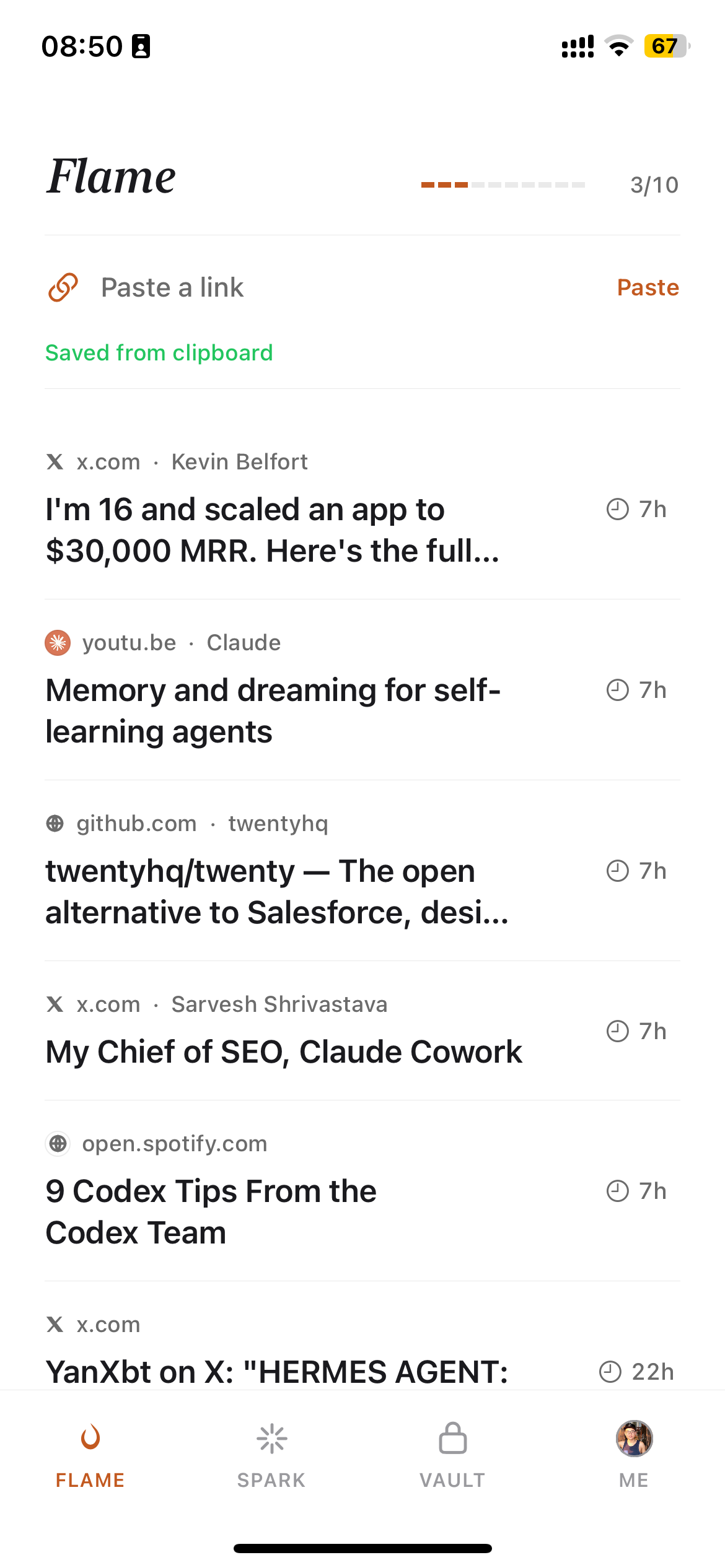
I save 40 articles a week. My Claude reads them so I don't have to.
That's not a metaphor. Burn 451 runs a local Model Context Protocol server — burn-mcp-server on npm — that exposes your reading vault to Claude Desktop, Cursor, and any other MCP-compatible AI client. When you ask Claude a question that touches something in your saved articles, it pulls from your vault. Your reading queue stops being a list of things you meant to read and starts being a live knowledge base your AI works from.
This article covers what that integration actually looks like, how to set it up in under five minutes, and the three workflows where it changes how you work. If you want context on MCP itself first, the Anthropic MCP documentation is the authoritative reference.
Why "read-later" and "MCP context" belong in the same sentence
The failure mode of every read-later app is the same: the save rate outpaces the read rate. You save 10 articles on Monday. You open two by Wednesday. By Friday there are 8 more. The queue grows. You start skipping it. The app becomes a bookmark graveyard.
The conventional fix — better reminders, spaced repetition, email digests — treats the symptom. The underlying problem is that the value of an article is locked inside a linear reading experience. You have to read it to get the value. If you don't have time, you get nothing.
MCP breaks that constraint. Once your articles are accessible as LLM context, you don't need to read them to benefit from them. Save an article about a new vector search approach on Monday. Don't read it. On Thursday, ask Claude to help you design a search feature — and it surfaces that article from your vault, extracts the relevant parts, and folds them into its answer. You got value from the article without ever opening it.
This reframes what "read later" means. Not "save and forget." Save and feed your LLM context.
For a broader comparison of read-later apps that don't have this integration, the best read-later app 2026 guide covers ten tools head-to-head.
What burn-mcp-server actually is
burn-mcp-server is a stdio MCP server. It runs locally on your machine, communicates over stdin/stdout with the AI client that launches it, and exposes a search_vault tool that queries your Burn 451 reading vault by keyword or semantic similarity.
The server has approximately 396 weekly downloads on npm. It's open source. Nothing proxies through a third-party service — your queries go from the AI client to the local process to the Burn 451 API directly.
The three things it can do:
- •search_vault(query) — keyword and semantic search across everything you've permanently saved to your vault
- •get_article_content — retrieve full article content and AI analysis for a saved article
- •list_vault / list_sparks / list_flame — list bookmarks by stage (permanent vault / recently-read / active inbox)
The technical pattern behind this is covered in depth in Building Burn MCP: 3 patterns for a stdio read-later server.
Setup: Claude Desktop in under 5 minutes
You need a free Burn 451 account and Claude Desktop (or another MCP-compatible client). No paid plan, no API key purchase.
Step 1: Install Claude Desktop from modelcontextprotocol.io if you haven't already.
Step 2: Open the config file. On macOS: ~/Library/Application Support/Claude/claude_desktop_config.json. On Windows: %APPDATA%\Claude\claude_desktop_config.json.
Step 3: Add the burn entry.
{
  "mcpServers": {
    "burn": {
      "command": "npx",
      "args": ["-y", "burn-mcp-server"],
      "env": {
        "BURN_API_TOKEN": "your_token_here"
      }
    }
  }
}
Get your API token from your Burn 451 settings page. Paste it in place of your_token_here.
Step 4: Restart Claude Desktop. A hammer icon should appear in the toolbar. Click it — you should see burn listed as an available MCP server with the three tools above.
Total time: under five minutes. The server starts on demand when Claude needs it — nothing is running in the background when you're not using Claude.
For Cursor users: add the same config to .cursor/mcp.json in your project root. The entry format is identical.
"I install MCP servers to glue my reading flow into Claude — read-later finally feels useful"
That's a direct quote from a developer who set up the integration in January. The core observation is right: MCP is a glue protocol. It connects the tools you already use — your read-later app, your calendar, your code editor — into a single AI interface. Read-later has been siloed from the rest of the knowledge workflow for a decade. MCP ends that.
The pattern that makes this feel different in practice: you stop thinking "I should read that article before I start this project" and start thinking "I'll save relevant articles and let Claude pull them when needed." The saving behavior doesn't change. The reading requirement disappears. The vault becomes a background knowledge layer rather than a reading obligation.
For context on how Burn compares to apps that don't have this integration, Burn 451 vs Readwise Reader covers the full comparison — including where Readwise's in-app AI beats what MCP gives you.
3 workflows where MCP read-later changes how you work
1. Research-augmented writing
You're writing a piece on AI agent architectures. Over the past month you saved 12 articles on the topic — some you read, some you didn't. Instead of opening each one, you ask Claude: "Search my vault for articles about agent memory and tool use. Summarize the main patterns."
Claude calls search_vault("agent memory tool use"), retrieves 6 relevant articles with their AI summaries, and gives you a synthesis. You didn't read all 6. You didn't need to. Your past saving behavior did the research for your future self.
2. Context injection for coding sessions
You're in Cursor working on a new feature. You saved a paper about the algorithm you're implementing but haven't read it carefully. Add a Cursor rule: "When I ask about [topic], first check my Burn vault for relevant context." Cursor calls the MCP server, pulls the paper's content and summary, and includes it in the coding session context.
This is the pattern covered in Building Burn MCP: 3 patterns — specifically the "vault-as-background-context" pattern where the server is called implicitly as part of system instructions.
3. Pre-meeting intelligence
Before a call with someone from a company or field you've been following, ask Claude: "Search my vault for anything I've saved about [company/topic] in the last 30 days." Claude pulls recent saves with summaries. You walk into the meeting having effectively reviewed your own curated reading on the topic — without opening any of the articles.
The underlying article on how the vault architecture enables this is the best AI summarizer for articles — which covers how Burn generates the per-article summaries that make vault search useful.
How Burn 451 compares to other read-later / bookmark apps with MCP
In 2026 MCP is no longer rare in this category. The honest comparison is no longer "MCP vs in-app AI" — it's "which MCP surface fits your workflow." Here's what each one exposes to the model:
- •Readwise MCP (
mcp2.readwise.io/mcp) — highlights + Reader documents. Best if you highlight and want the model to see what you marked up. - •Raindrop MCP (
api.raindrop.io/rest/v2/ai/mcp) — bookmarks, collections, tags, highlights, account data. Best if you keep a long-term archive and want the model to query it. - •Karakeep MCP — self-hosted bookmark + read-later, MCP server bundled. Best if you want full data sovereignty.
- •Burn 451 MCP (
burn-mcp-serveron npm) — the Flame/Spark/Vault decision loop and 24-hour triage state. Best if you want the model to see what you're actively deciding about, not just what you've archived.
Readwise Reader pairs MCP with mature in-app AI (Ghostreader, daily digests, highlight Q&A). The Burn vs Readwise comparison goes deeper on when each surface wins.
The broader read-later app landscape — including apps that don't have MCP or AI at all — is in the best read-later app 2026 guide.
What MCP is and why it matters for read-later apps specifically
The Model Context Protocol is an open standard that defines how AI clients call external tools. It's to AI what HTTP is to web browsers — a common protocol that means any MCP client can work with any MCP server without custom integration work.
The protocol uses a server/client model where the server (like burn-mcp-server) runs as a local process and communicates via stdin/stdout. The AI client (Claude Desktop, Cursor) launches the server on demand and sends JSON-RPC messages to call tools. There's no web server, no port, no cloud middleware — it's a local process that starts when needed and exits when done.
For read-later apps specifically, MCP solves a problem that RAG-over-bookmarks never quite did: it gives you structured tool calls, not just semantic search. You can ask "what are my 5 most recent saves about machine learning" and get a precise answer. You can ask "get the full content of the article about Mixture of Experts I saved last week" and get the full text. The structured query interface is more useful than embedding similarity alone.
The deep technical architecture of the Burn MCP server — transport layer, tool schema, auth — is in Building Burn MCP: 3 patterns for a stdio read-later server.
The vault: what gets exposed to MCP and what doesn't
Burn 451 has two storage layers: the inbox and the vault. The inbox is the 24-hour reading queue — articles that expire if you don't read them. The vault is permanent saves — articles you finished and chose to keep.
The MCP server exposes the vault only, not the inbox. This is intentional: the inbox is transient by design, and exposing it to AI context would mean the AI has access to articles you haven't decided to keep yet. The vault is curated signal — everything in it is something you considered worth keeping after reading. That makes it much higher quality as a knowledge base than a raw save queue.
This also means the vault compounds over time. The more you save and read, the more context your AI has. After six months of using Burn, your Claude has access to hundreds of curated articles on the topics you care about. That's a significantly different knowledge base from what it has from training data alone.
On the iOS side, every article you finish in the Burn app goes to vault automatically. The read-later app comparison covers the save-to-vault flow in detail.
Burn 451 as an MCP read-later app: what it is and what it isn't
Burn 451 is an iOS app with a native MCP server. It is:
- •A read-later queue with a 24-hour deadline on saves (read it or lose it)
- •A permanent vault for finished articles, with AI summaries on each
- •A stdio MCP server that exposes your vault to Claude, Cursor, and other MCP clients
- •Free — no paid plan required for MCP access
It is not:
- •An Android app (iOS only right now)
- •A bulk archive tool — no import from Pocket or Instapaper
- •A replacement for Readwise Reader's in-app annotation and spaced repetition features
If the MCP surface you want is the decision loop — what's in active 24h triage, what survived to Spark, what made it to Vault — Burn is the one that exposes that. If you want MCP over highlights or a long-term archive, Readwise or Raindrop are the right picks. The best read-later app 2026 guide covers all of the surfaces head-to-head.
Frequently asked questions
What is a read-later app with MCP support?
A read-later app with MCP support exposes its data as a Model Context Protocol server, so any MCP-compatible AI client (Claude Desktop, Cursor, Windsurf, etc.) can query it directly without copy-paste. In 2026 several apps ship MCP: Readwise (https://mcp2.readwise.io/mcp over highlights + Reader documents), Raindrop (https://api.raindrop.io/rest/v2/ai/mcp over bookmarks + collections), Karakeep (self-hosted), and Burn 451 (burn-mcp-server on npm over the Flame/Spark/Vault decision loop). The right pick depends on which surface you want the model to see.
How do I connect Burn 451 to Claude Desktop via MCP?
Add the burn-mcp-server entry to your Claude Desktop config file (~/Library/Application Support/Claude/claude_desktop_config.json on macOS). The entry is: { "mcpServers": { "burn": { "command": "npx", "args": ["-y", "burn-mcp-server"] } } }. Restart Claude Desktop after saving. Claude will then have access to a "search_vault" tool that queries your Burn 451 reading vault.
What is the Model Context Protocol (MCP)?
MCP is an open standard introduced by Anthropic in late 2024 that defines how AI clients (like Claude Desktop or Cursor) connect to external data sources and tools. Instead of copy-pasting content into chat, you run a local stdio server that the AI client calls at inference time. This means the AI has access to live, structured data — your bookmarks, your calendar, your code — without manual context injection. The spec is published at modelcontextprotocol.io.
Does burn-mcp-server work with Cursor and other MCP clients?
Yes. burn-mcp-server is a standard stdio MCP server that works with any client implementing the MCP spec: Claude Desktop, Cursor, Windsurf, Continue.dev, and others. The configuration syntax varies slightly by client but the server entry point is the same — `npx -y burn-mcp-server`. Cursor users add it under the .cursor/mcp.json file in the project root.
Why connect a read-later app to an LLM at all?
Heavy savers consistently report a save-vs-read gap — they save more articles than they finish, and a meaningful share of saves sit unread. (I don't have a verifiable industry number to cite; the pattern is widely described in read-later product threads, and my own pile peaked at 4,700 saves with ~40 finished.) MCP integration changes the value proposition: even articles you didn't finish reading can feed your LLM context. You save an article about a new architecture pattern, never get around to it, but two weeks later ask Claude to help you architect something — and it surfaces that article from your vault. The save becomes useful without requiring you to read it.
Is burn-mcp-server free and open source?
Yes. The burn-mcp-server npm package is free and open source. It has approximately 396 weekly downloads on npm. It communicates with the Burn 451 API using your account credentials, which means you need a free Burn 451 account. The server itself runs locally via npx — nothing is uploaded or proxied through a third-party service.
What can I do with my reading vault once it's connected via MCP?
Three workflows are most common: (1) Research assistant — ask Claude to find what you've saved on a specific topic before writing or coding. (2) Pre-meeting prep — query your vault for context on a person, company, or technology before a call. (3) Passive knowledge base — let Claude search your vault as background context when answering complex questions, so your reading history enriches its responses without you curating it manually.
How is this different from Readwise Reader's AI features?
Readwise has both in-app AI (Ghostreader, summaries, Q&A inside the Readwise app) and an official MCP server at https://mcp2.readwise.io/mcp that exposes highlights and Reader documents to any MCP client. So the comparison is no longer 'in-app AI vs MCP' — both Readwise and Burn ship MCP. The fork is what the MCP shows the model: Readwise's MCP surfaces curated highlights + saved documents (great for highlight-led PKM workflows); Burn's MCP surfaces the decision loop — what's in active 24-hour triage, what survived to Spark, what made it to Vault. Pick the surface that matches your workflow.
Related reading
- •Best Read-Later App 2026: 10 tools tested
- •MCP Read-Later Server: how the burn-mcp-server works under the hood
- •Building Burn MCP: 3 patterns for a stdio read-later server
- •Burn 451 vs Readwise Reader: which is better for AI workflows?
- •Best AI summarizer for articles: how Burn generates vault summaries
- •Pocket Alternative App 2026: 6 Mobile Read-Later Apps Compared
An MCP over the 24-hour decision loop, free on iOS. Connect Burn's vault to Claude in under 5 minutes.